
Most marketers aren’t trying to become professional designers.
They’re trying to create a decent social graphic before the meeting starts, resize an ad without rebuilding it six times, or turn a rough campaign idea into something the rest of the team can actually see.
AI design tools promise to make that easier.
They can generate images, suggest layouts, remove backgrounds, resize creative, create presentation slides, and produce multiple campaign variations in minutes. They can also give a person six fingers, invent a logo you can’t safely trademark, and place unreadable text on a beautifully rendered billboard.
So, what is AI design—and where does it genuinely help?
TL;DR
What it is: AI design is the use of artificial intelligence to generate, edit, adapt, or assist with visual creative work.
Who it’s for: Marketers, designers, creators, agencies, small businesses, and teams producing digital content at scale.
Biggest takeaway: AI design is strongest at accelerating ideas, variations, and repetitive production tasks. It is not a substitute for brand strategy or professional judgment.
Gary’s opinion: Use AI to get from blank canvas to workable concept faster. Keep humans responsible for brand consistency, accuracy, accessibility, intellectual-property review, and final approval.
What Does AI Design Mean?
AI design refers to software that uses artificial intelligence to support the creation or modification of visual content.
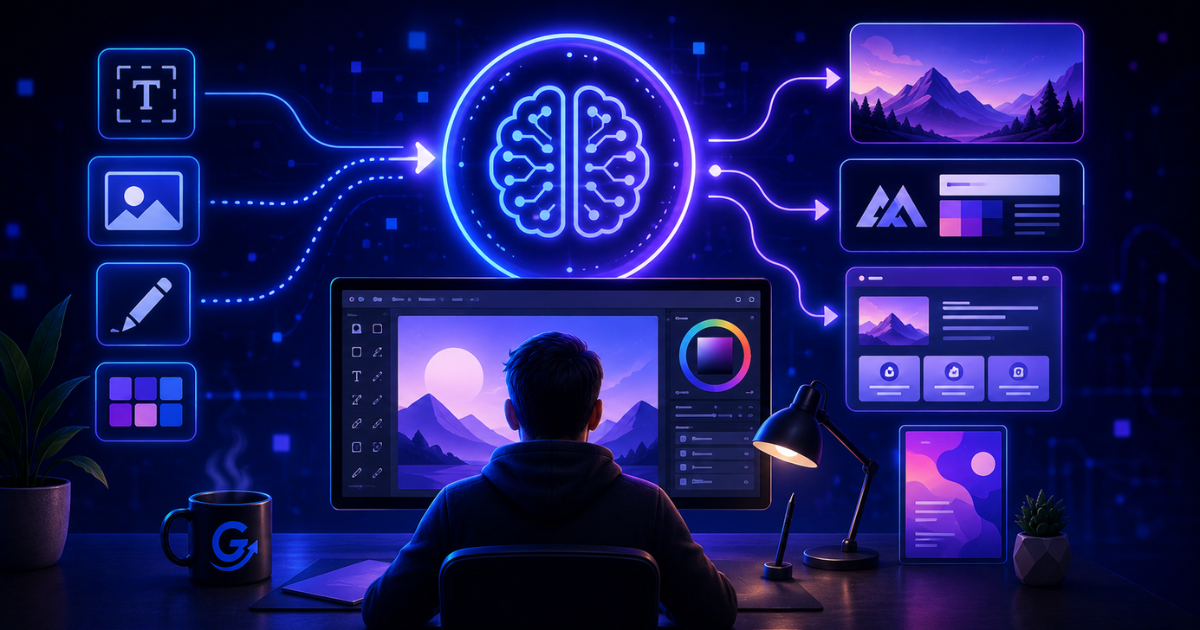
Depending on the platform, AI design tools can:
- Generate images from written prompts
- Suggest page or presentation layouts
- Remove or replace backgrounds
- Resize designs for different channels
- Create logos and brand concepts
- Produce social media graphics
- Edit photographs
- Generate illustrations
- Build product mockups
- Create design variations
- Turn text into presentations or video scenes
AI design includes both generative AI and assistive AI.
Generative AI creates something new, such as an image or layout.
Assistive AI improves an existing design, such as resizing an asset, removing an object, or recommending a color combination.
How Does AI Design Work?
AI design tools use machine-learning models trained to recognize patterns in images, layouts, text, colors, shapes, and visual styles.
A user typically provides one of three inputs:
- A written prompt
- An existing visual asset
- A template or design brief
The system then generates or modifies creative based on that input.
Text-to-image generation
A marketer might enter:
Create a clean editorial illustration of a marketing team reviewing an AI dashboard in a modern office.
The tool interprets the description and generates one or more images.
The output improves when the prompt includes:
- Subject
- Style
- Composition
- Intended channel
- Mood
- Lighting
- Dimensions
- Brand restrictions
Generative editing
AI can also modify existing creative.
Common tasks include:
- Expanding an image beyond its original borders
- Removing an unwanted object
- Replacing a background
- Changing the aspect ratio
- Creating visual variations
- Adjusting a scene without rebuilding it
Layout and production assistance
Some platforms help arrange text and images into:
- Social posts
- Presentations
- Advertisements
- Flyers
- Lead magnets
- Landing-page sections
- Email graphics
This is often more useful to marketers than generating a dramatic fantasy image of a robot standing on a mountain. Impressive, certainly. Not always what the campaign brief requested.
What Is AI Design Best Used For?
AI design works best when it reduces repetitive production work or accelerates early creative exploration.
Campaign ideation
AI can generate several visual directions from one written concept.
That helps teams discuss:
- Mood
- Composition
- Style
- Color
- Messaging direction
- Audience fit
The result should usually be treated as concept material rather than finished brand creative.

Social media production
AI-assisted design platforms can quickly create and resize content for different social networks.
This is useful when one campaign needs:
- Square graphics
- Vertical stories
- Horizontal banners
- Thumbnail images
- Multiple headline variations

Background removal and image cleanup
AI is very effective at routine production tasks such as removing backgrounds, isolating products, improving image resolution, and cleaning small visual distractions.
These tasks once required considerably more manual work.
Presentations and lead magnets
AI can help transform text into an initial slide deck, report layout, checklist, or downloadable guide.
Human review is still necessary for hierarchy, data accuracy, visual consistency, and storytelling.
Rapid creative testing
Marketers can generate multiple design variations for paid advertising, landing pages, email campaigns, and social posts.
More creative options can support better testing—but only when the differences are meaningful and performance is measured.
What AI Design Is Not Good At
AI design has important limitations.
Brand strategy
AI can follow brand guidelines, but it cannot independently decide what a brand should represent.
Positioning, visual identity, emotional tone, and audience perception require deliberate human decisions.
Complex visual communication
A beautiful image is not automatically an effective design.
Professional design also considers:
- Information hierarchy
- Readability
- Accessibility
- Conversion goals
- User behavior
- Cultural context
- Channel requirements
AI may produce something attractive while missing the business objective entirely.
Text inside generated images
Image-generation systems often struggle with precise typography, labels, product details, or extended text.
Create the image with AI if useful. Add important text in an actual design editor.
Originality and ownership certainty
AI-generated creative may raise concerns involving:
- Copyright
- Trademark similarity
- Model releases
- Training data
- Commercial usage rights
- Brand impersonation
Businesses should review the platform’s terms and avoid assuming that “the machine made it” resolves every ownership question.
AI Design vs Human Design
AI design is best viewed as an extension of the creative process rather than a replacement for designers.
| Task | AI alone | Human alone | Human with AI |
|---|---|---|---|
| Idea generation | Fast but inconsistent | Original but slower | Fast with better direction |
| Brand judgment | Weak | Strong | Strong when the human leads |
| Asset resizing | Efficient | Repetitive | Highly efficient |
| Complex layouts | Uneven | Strong | Faster starting point |
| Accessibility | Unreliable | More dependable | Requires human review |
| Final creative direction | Limited | Strong | Strongest combined approach |
AI tends to perform best at speed and variation.
Humans remain stronger at judgment, context, taste, and accountability.
How Marketers Should Use AI Design
A practical AI design workflow follows six steps.
1. Define the objective
Clarify the channel, audience, message, required action, and brand constraints.
2. Prepare a creative brief
Include:
- Format
- Dimensions
- Visual direction
- Required text
- Brand colors
- Audience
- Examples to follow or avoid
3. Generate concepts
Use AI to create several starting directions rather than demanding a perfect final asset immediately.
4. Refine in a design platform
Correct typography, spacing, hierarchy, branding, and image details.
5. Review carefully
Check:
- Accuracy
- Accessibility
- Licensing
- Brand consistency
- Visual defects
- Cultural appropriateness
- Platform requirements
6. Measure performance
For marketing creative, monitor metrics such as:
- Click-through rate
- Engagement
- Conversion rate
- Cost per acquisition
- Production time
- Revision cycles
AI design should improve either production efficiency or campaign performance. Ideally both.
Choosing an AI Design Tool
Different platforms solve different problems.
| Tool category | Best for | Pricing overview |
|---|---|---|
| Template-based design platforms | Social graphics, presentations, branded assets | Often offer free plans with paid premium features |
| Image generators | Custom illustrations and concept development | Usually priced through subscriptions or generation credits |
| Professional design suites | Advanced editing and commercial production | Typically paid monthly or through bundled creative plans |
| Presentation generators | Turning outlines into initial slide designs | Commonly use freemium or subscription pricing |
| Photo-editing tools | Cleanup, enhancement, background changes | Available through free, credit-based, or subscription models |
Popular choices include Canva and Adobe tools, along with specialized image-generation and presentation platforms.
Strengths
- Faster concept development
- Easier resizing and adaptation
- Lower barrier for non-designers
- More creative variations
- Reduced repetitive production work
Weaknesses
- Inconsistent output
- Brand and legal risks
- Generic visual styles
- Limited strategic judgment
- Continued need for professional review
Alternatives
Sometimes the right alternative is:
- A professional designer
- A strong reusable template system
- A defined brand library
- Better stock photography
- Simpler creative with clearer messaging
Not every campaign requires a newly generated masterpiece.
Gary’s Take
If I were building an AI design workflow today, I’d use AI for concept generation, image cleanup, resizing, and quick creative variations.
I would not let it independently define the visual identity of a serious brand.
For most marketers, the biggest value isn’t replacing a designer. It’s reducing the number of times a designer—or marketer—has to repeat low-value production work.
A good AI design system should help the team move faster while making professional judgment more important, not less.
Use the machine to explore.
Use people to decide.
Pros and Cons of AI Design
Pros
- Speeds up creative production
- Helps non-designers create usable assets
- Supports rapid testing
- Reduces repetitive editing
- Makes concept development easier
- Helps adapt content across channels
Cons
- Can create visual errors
- May produce generic creative
- Requires licensing and ownership review
- Does not understand brand strategy
- Typography can be unreliable
- Still needs human quality control
Verdict
AI design is best for marketers and creative teams that need faster ideation, production, resizing, editing, and experimentation.
It is less suitable as an unsupervised replacement for professional design, especially when the work involves brand identity, accessibility, sensitive subject matter, or high-value campaigns.
My recommendation is to use AI design as a creative assistant. Let it handle speed, variation, and repetitive production. Keep strategic and final creative decisions with experienced people.
Frequently Asked Questions
What is AI design in simple terms?
AI design is the use of artificial intelligence to generate, edit, arrange, or improve visual creative.
What are examples of AI design?
Examples include generating illustrations, removing backgrounds, resizing social graphics, creating presentation layouts, and producing ad variations.
Can AI replace graphic designers?
AI can automate parts of the design process, but professional designers remain important for strategy, brand identity, communication, accessibility, and final quality.
What is the best AI design tool?
The best platform depends on the task. Template-based tools are useful for marketing production, while specialized generators are stronger for custom image creation.
Is AI-generated design safe for commercial use?
Commercial rights vary by platform and use case. Review licensing terms, trademark risks, source assets, and applicable policies before publishing.
How can marketers use AI design?
Marketers can use it for campaign concepts, social graphics, presentation drafts, image editing, creative testing, and content resizing.
What are the risks of AI design?
Risks include inaccurate visuals, copyright or trademark concerns, generic creative, accessibility problems, and weakened brand consistency.
Related Articles
- Best AI Design Tools
- Choosing an AI Design Tool
- AI Design Best Practices
- Prompt Engineering for Images
- Canva Review
Building a smarter marketing stack isn’t about buying more tools—it’s about choosing the right ones.
That’s the kind of growth I like.
— Gary
The changes actually worth knowing
A short briefing that filters the noise into useful AI, marketing, technology, tools, and ideas for marketers and businesses.