
Disclosure: Growth Gary may earn a commission if you purchase through an affiliate button on this page, at no additional cost to you. Editorial recommendations remain independent. See the Affiliate Disclosure and review methodology.
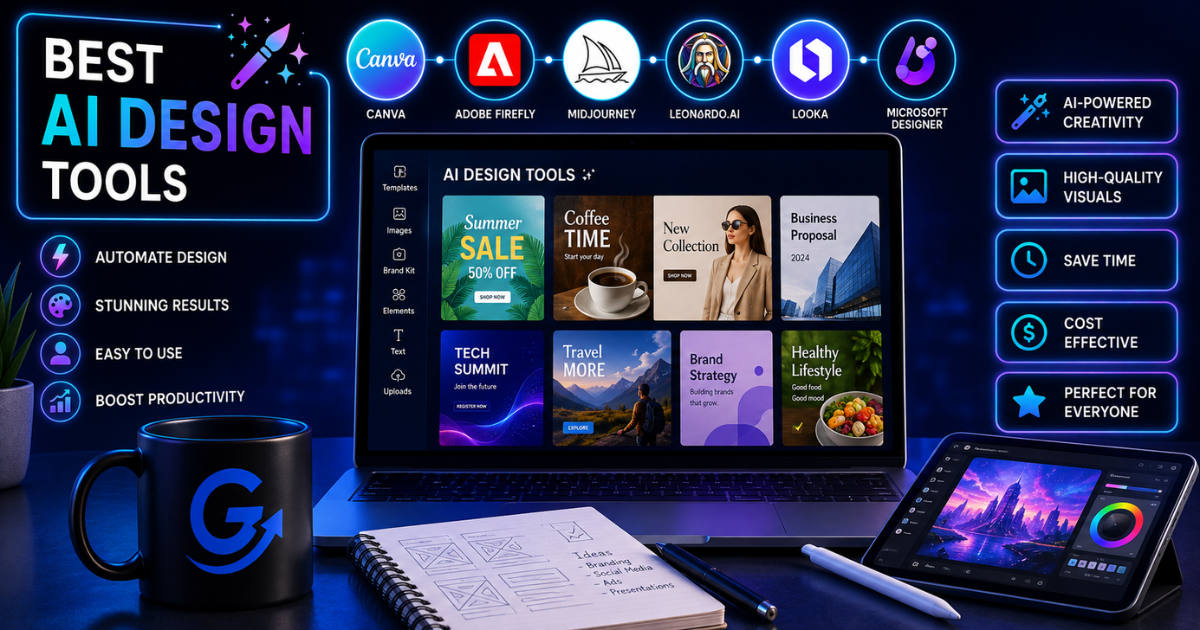
The best AI design tool depends on the output you need: Canva is the strongest all-around choice for everyday marketing production, Adobe Firefly suits professional creative workflows, Midjourney excels at distinctive image concepts, Figma is built for product and interface design, and ChatGPT Images makes conversational creation and editing unusually accessible.
None is a substitute for brand judgment, accessibility checks, or final production review. The useful question is not which platform can generate the most—it is which one fits your team’s real workflow with the least rework.
Quick answer
What they are: AI design tools help generate, edit, resize, organize, or improve visual content using artificial intelligence.
Who they’re for: Marketers, designers, agencies, creators, product teams, and small businesses producing visual assets regularly.
Biggest takeaway: No single platform is best at every type of design. Choose Canva for marketing production, Firefly for professional creative workflows, Midjourney for visual exploration, Figma for product design, and ChatGPT for conversational creation and editing.
Gary’s opinion: Most marketers should begin with Canva. Add a specialized generator only when your visual needs clearly outgrow templates, stock assets, and basic editing.
Best AI Design Tools at a Glance
| Tool | Best for | Access and pricing model |
|---|---|---|
| Canva | Everyday marketing design and branded production | Free and paid plans; AI allowances vary by plan |
| Adobe Firefly | Professional image, video, audio, and creative production | Free and paid plans; generation capacity varies by plan |
| Midjourney | Distinctive illustrations and concept art | Paid subscriptions from $10 to $120 monthly |
| Figma | Interface design, prototypes, websites, and collaborative product work | Every seat includes AI credits; limits vary by plan and seat |
| ChatGPT Images | Conversational image generation and iterative editing | Availability and usage limits depend on plan and workspace settings |
| Figma Weave tools | Repeatable AI image workflows inside Figma | Uses the Figma AI credit system |
Pricing, credits, and feature access change frequently, so verify the current plan before subscribing.

1. Canva: Best Overall AI Design Tool for Marketers
Canva is the easiest recommendation for most marketing teams because it combines templates, stock media, brand controls, collaboration, presentations, video, social graphics, and AI-assisted creation in one approachable platform.
Canva AI can generate and refine designs, content, and media through a conversational interface. Magic Design can create initial layouts from a prompt or uploaded media, while plan-level AI allowances and feature access vary.
Best for
- Social media graphics
- Blog images
- Presentations
- Lead magnets
- Advertising creative
- Small and midsize marketing teams

Strengths
- Very easy to learn
- Strong template library
- Handles many content formats
- Useful brand and collaboration features
- Good for resizing and adapting assets across channels
Weaknesses
- Template-heavy creative can look generic
- Less control than professional design suites
- AI output still needs brand and quality review
- Not ideal for complex interface or product design
Alternatives
Adobe Express, Figma, or a professional designer for high-value brand work.
2. Adobe Firefly: Best for Professional Creative Workflows
Adobe Firefly is the better fit for designers and creative teams already working within Adobe’s ecosystem.
Firefly supports AI generation and editing across images, video, audio, and other creative workflows. Adobe offers free and paid options with different generation capacities, so compare the current Firefly plans before choosing a tier.
Best for
- Professional designers
- Agencies
- Creative production teams
- Image and video workflows
- Businesses already using Photoshop and Creative Cloud
Strengths
- Broad creative-media support
- Strong connection to Adobe workflows
- Better fit for professional editing
- Multiple plan levels for different production volumes
Weaknesses
- More complex than Canva
- Credit usage requires monitoring
- Can become expensive for high-volume production
- Still requires professional creative judgment
Alternatives
Canva for easier marketing production or Midjourney for more stylized image exploration.
3. Midjourney: Best for Distinctive Image Generation
Midjourney remains one of the strongest choices for visually rich concepts, editorial illustrations, mood boards, and imaginative campaign imagery.
Its official plan comparison lists monthly subscriptions from $10 for Basic to $120 for Mega. Plans differ in Fast GPU time, relaxed-generation access, and other usage limits.
Best for
- Concept art
- Editorial visuals
- Mood boards
- Campaign exploration
- Distinctive visual styles
Strengths
- Strong visual quality
- Excellent for creative exploration
- Useful for developing campaign directions
- Broad stylistic range
Weaknesses
- Less useful for final layouts and typography
- Requires practice to prompt effectively
- Subscription is based partly on GPU usage
- Generated assets still need licensing and brand review
Alternatives
Adobe Firefly, ChatGPT Images, or Canva for more practical production workflows.
4. Figma: Best for Product and Interface Design
Figma is the strongest option on this list for teams designing websites, applications, interfaces, prototypes, and digital products.
Its AI tools can help generate and refine designs, replace or rewrite text, search visually, and support faster product workflows. Figma’s AI credit documentation says every seat includes credits, with monthly amounts and eligible features varying by plan and seat type.
Figma Make also allows teams to generate and iterate on functional prototypes and website experiences using AI-assisted workflows.
Best for
- Website design
- Product design
- UI and UX teams
- Interactive prototypes
- Collaborative digital design
Strengths
- Excellent real-time collaboration
- Strong interface and prototype capabilities
- AI operates within a professional product-design environment
- Useful for moving from concept toward functional experience
Weaknesses
- More difficult for casual marketers
- Not primarily a social-graphics platform
- AI access and credit rules vary by plan
- Requires design knowledge for strong results
Alternatives
Canva for simple marketing assets or Adobe tools for broader creative production.
5. ChatGPT Images: Best for Conversational Image Creation and Editing
ChatGPT Images is useful when you want to create or revise a visual through natural conversation rather than learning a complex design interface.
It can generate original images and edit existing ones through natural-language requests. The official ChatGPT Images guide documents conversational creation and editing; availability and limits depend on the user’s plan and workspace settings.
Best for
- Rapid visual concepts
- Editing existing images
- Campaign mockups
- Infographics and diagrams
- Marketers who prefer conversational iteration
Strengths
- Easy natural-language interaction
- Strong iterative editing
- Useful for combining references and instructions
- Works well for visual brainstorming
Weaknesses
- Not a complete layout or asset-management platform
- Generated designs may still require Canva, Figma, or Adobe for finishing
- Usage limits depend on plan
- Important text and brand details still need review
Alternatives
Midjourney for more stylized imagery or Canva for final campaign production.
6. Figma Weave Tools: Best for Repeatable AI Image Workflows
Figma Weave tools are AI-powered apps used on design content inside Figma. They can generate variations, retouch images, apply visual styles, and turn repeatable creative steps into reusable workflows.
Figma moved Weave tools to general availability in October 2026, and they now consume Figma AI credits. That makes credit monitoring—not a separate Weave subscription—the practical usage consideration.
Best for
- Creators testing several image models
- Visual experimentation
- Repeatable generative workflows
- Teams needing generation and editing together
Strengths
- Access to several models in one environment
- Built-in visual workflows
- Commercial-use options for supported models
- Useful for higher-volume exploration
Weaknesses
- Separate subscription from Figma
- Model terms may vary
- Credit systems require monitoring
- Less established than Canva or Adobe for everyday marketing work
Also Worth Considering: getimg.ai
getimg.ai brings image generation, editing, expansion, and other creative-production tools into one browser-based workspace. It is a useful option for marketers and ecommerce teams that need to explore concepts and produce multiple visual variations without moving between several separate tools.
Best for: AI image generation, campaign concepts, product-oriented creative work, and rapid visual iteration.
Primary strength: The platform covers more of the image-production workflow than a basic prompt-to-image tool. As with every generative design platform, outputs still need human review for brand accuracy, text, anatomy, licensing requirements, and consistency.
How to Choose the Right AI Design Platform
Start with the output you need.
| Primary need | Best starting choice |
|---|---|
| Social graphics and everyday marketing assets | Canva |
| Professional creative production | Adobe Firefly |
| Distinctive illustrations and concepts | Midjourney |
| Website and product interface design | Figma |
| Conversational image editing | ChatGPT Images |
| Multi-model visual experimentation | Figma Weave |
Then evaluate:
- Ease of use
- Brand controls
- Collaboration
- Editing depth
- Commercial-use terms
- Output consistency
- Credit or usage limits
- Whether the platform duplicates software you already own
Turn the tool shortlist into a workable marketing system
Choosing a design platform is only one part of the workflow. GrowthGary’s AI Marketing Solutions help connect creative production with planning, content, and measurement—without pretending one tool solves every job.
Gary’s Take
If I were building a marketing team’s design stack today, I’d start with Canva.
It handles the greatest number of ordinary marketing jobs with the lowest learning curve.
I’d add Firefly for professional creative production, Figma for product and website design, or Midjourney for visually ambitious concept work. ChatGPT Images would be my flexible brainstorming and editing layer.
The biggest mistake is buying several image generators while still lacking a clear brand system.
A slightly less exciting image that looks like your company is usually more valuable than an extraordinary image that looks like everyone’s favorite science-fiction wallpaper.
Pros and Cons of AI Design Tools
Pros
- Accelerate creative production
- Help non-designers create useful assets
- Support faster experimentation
- Reduce repetitive editing
- Make visual ideation easier
- Expand the number of concepts teams can test
Cons
- Output quality varies
- Licensing and trademark questions remain
- Brand consistency requires oversight
- Credit-based pricing can become confusing
- Typography and details still need review
- They do not replace creative strategy
Verdict
Choose Canva for the best overall marketing-design workflow.
Choose Adobe Firefly for professional creative production.
Choose Midjourney for visually distinctive image generation.
Choose Figma for interfaces, websites, and product design.
Choose ChatGPT Images for conversational generation and iterative edits.
Most marketing teams only need one primary design platform and one specialized generator. Anything beyond that should solve a specific production problem—not merely provide another place to type prompts.
Frequently Asked Questions
What is the best AI design tool overall?
Canva is the best general choice for most marketers because it combines templates, editing, brand tools, collaboration, and AI-assisted design in one platform.
Which AI design tool is best for professional designers?
Adobe Firefly and Figma are stronger professional options. Firefly supports broad creative production, while Figma is better for interface and product design.
Is Midjourney better than Canva?
Midjourney is better for generating distinctive imagery. Canva is better for turning assets into finished marketing designs.
Can ChatGPT create marketing graphics?
Yes. ChatGPT Images can generate and edit visual assets, although marketers may still want Canva, Figma, or Adobe for final layout and brand production.
Are AI-generated designs safe for commercial use?
Commercial-use rights depend on the platform, model, source material, and applicable terms. Always review licensing and trademark risks before publishing.
Do AI design tools replace graphic designers?
No. They reduce production time and accelerate exploration, but brand strategy, visual communication, accessibility, and final judgment still require experienced people.
What is the best free AI design tool?
Canva, Adobe Firefly, Figma, ChatGPT, and Figma Weave provide free starting options, although usage and AI credits are limited.
Related Articles
- What Is AI Design? A Practical Guide for Marketers
- Canva Review: Is It Still the Best Design Tool for Marketers?
- How GrowthGary evaluates products and recommendations
Building a smarter marketing stack isn’t about buying more tools—it’s about choosing the right ones.
That’s the kind of growth I like.
— Gary