
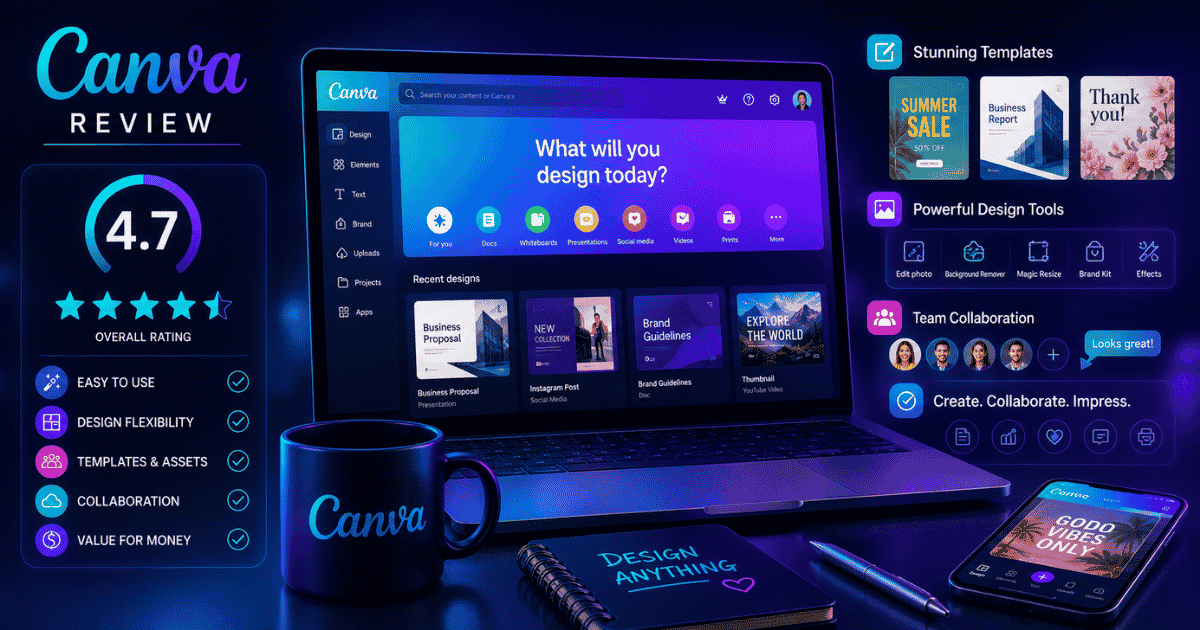
Canva is still one of the strongest all-around design platforms for marketers who need to turn ideas into polished campaign assets quickly. Its advantage is not advanced pixel-level editing; it is the combination of an approachable editor, reusable templates, brand controls, collaboration, and AI-assisted production in one browser-based workspace.
After years of using Canva across marketing campaigns, I would keep it near the top of the shortlist for small businesses, content teams, agencies, educators, and creators—but I would pair it with a specialist tool when advanced retouching, illustration, motion work, or interface design is central to the job.
Quick answer: Is Canva still worth it for marketers?
Yes—for most marketing teams, Canva remains one of the best design tools for fast, repeatable production. It is especially useful when non-designers need to create on-brand social graphics, presentations, ads, documents, and videos without a steep learning curve. Choose Adobe or another specialist editor for intricate image work, and choose Figma when product and interface design are the main requirement.
- Best fit: recurring marketing content, small teams, creators, agencies, educators, and nonprofits.
- Biggest strengths: speed, templates, Brand Kit, collaboration, resizing, and integrated AI tools.
- Main limits: less control than specialist creative software and a risk of generic-looking output when teams rely too heavily on templates.
- Plan choice: start with Free; upgrade when premium assets, higher AI access, more Brand Kits, scheduling, or team workflows save meaningful production time.
On this page
Canva at a Glance
| Category | Assessment |
|---|---|
| Best for | Marketing teams, small businesses, and content creators |
| US pricing checked October 22, 2026 | Free: US$0; Pro: US$144/year for one person; Business: US$250/year per person. Enterprise pricing is available from sales. Prices exclude tax and can vary by region. |
| Ease of use | Excellent for beginners |
| Learning curve | Low for everyday production |
| AI features | Broad, with usage and feature access varying by plan |
| Overall recommendation | Strong choice for repeatable marketing production |
What Is Canva?
Canva is a browser-based visual communication platform for creating social graphics, presentations, video, documents, whiteboards, websites, print assets, and other marketing materials without traditional desktop design software.
You can create:
- Social media graphics
- Blog images
- Presentations
- Infographics
- PDFs
- Whitepapers
- Ebooks
- Email graphics
- Logos
- Videos
- Print materials
- Websites
- Digital ads
Everything happens inside your browser.
No complicated software.
No steep learning curve.
That’s been Canva’s biggest competitive advantage from the beginning.
Canva’s Best Features
1. Templates
Templates remain Canva’s greatest strength.
There are thousands available for nearly every marketing need:
- Facebook Ads
- Instagram Posts
- LinkedIn Graphics
- Presentations
- Flyers
- Posters
- Brochures
- Whitepapers
- Reports
- Infographics
- Business Cards
Instead of designing from scratch, you simply customize.
For busy marketing teams, that’s a massive time saver.
2. Magic Studio (AI)
Canva has expanded from individual “Magic” features into a broader Canva AI workspace. Access and monthly AI allowances vary by plan, so teams should check the current plan comparison before treating a particular AI feature as unlimited.
Magic Studio includes tools for:
- AI image generation
- Magic Design
- Magic Write
- Background removal
- Object replacement
- Image expansion
- Automatic resizing
- AI presentations
- AI editing
Instead of opening multiple programs, many creative tasks now happen inside one platform.
3. Brand Kit
For businesses, Brand Kit may be the most valuable feature because it centralizes the assets and rules people use repeatedly.
You can store:
- Logos
- Brand colors
- Fonts
- Templates
- Approved graphics
- Brand guidelines
Every team member works from the same assets.
That keeps marketing consistent.

4. Magic Resize
Anyone who has rebuilt one graphic for six channels will appreciate Magic Resize. Canva’s Help Center lists it for Pro, Business, Enterprise, Education, Higher Education, Nonprofits, and legacy Teams plans; each use counts toward the account’s monthly AI allowance.
Create one design.
Resize it instantly for:
- YouTube
- TikTok
- Stories
- Display ads
It isn’t always perfect.
But it’s dramatically faster than rebuilding everything manually.
5. Collaboration
Canva works surprisingly well for teams.
Multiple users can:
- Edit simultaneously
- Leave comments
- Approve designs
- Share folders
- Create templates
- Manage brand assets
For marketing departments, this removes a surprising amount of back-and-forth.

What Canva Does Well
Extremely beginner friendly
This is still Canva’s biggest advantage.
Someone with almost no design experience can produce attractive marketing assets within an hour.
That’s rare.
Speed
Need:
- A presentation?
- Social graphics?
- Ebook?
- Lead magnet?
- Webinar slides?
Canva gets you there incredibly quickly.
AI without complexity
Many AI creative tools still require prompt engineering.
Canva hides much of that complexity.
The AI feels like part of the editing experience rather than a completely separate application.
Huge content library
Canva includes:
- Photos
- Icons
- Videos
- Music
- Illustrations
- Charts
- Mockups
- Animations
For everyday marketing work, it’s often enough.
Where Canva Falls Short
Professional image editing
Photoshop still wins.
If you’re doing detailed retouching or advanced compositing, Canva isn’t the right tool.
Brand originality
Templates are incredibly helpful.
They’re also incredibly popular.
If everyone starts from the same template, everyone’s marketing begins looking similar.
Custom branding still matters.
AI images
They’re improving quickly.
But they still occasionally produce:
- distorted hands
- strange text
- inconsistent faces
- odd perspectives
Human review remains essential.
Canva vs Other Design Tools
| Tool | Better choice when… |
|---|---|
| Canva | Fast, repeatable marketing production is the priority |
| Adobe Firefly | Generative work needs to sit inside an Adobe creative workflow |
| Photoshop | Advanced image editing and compositing are required |
| Figma | Product design, prototyping, and UI/UX are the focus |
| ChatGPT Images | You want conversational image generation and editing |
| Midjourney | You need highly stylized concept imagery |
None completely replaces the others.
Most professional teams eventually use two or three together.
Put the tool inside a real workflow
Build a practical AI marketing stack
Canva is most useful when it has a clear job in your content system. Explore GrowthGary AI Marketing Solutions for practical ways to connect strategy, production, optimization, and measurement without adding tools for their own sake.
Who Should Use Canva?
Canva is excellent for:
- Small businesses
- Marketing teams
- Agencies
- Content creators
- Coaches
- Course creators
- Bloggers
- Social media managers
- Nonprofits
- Educators
If your job involves producing visual content every week, Canva probably belongs in your toolkit.
Who Should Probably Look Elsewhere?
Canva may not be enough if you need:
- Professional illustration
- Advanced photo manipulation
- Enterprise publishing
- Motion graphics
- Hollywood-quality video editing
- Complex product design
Adobe Creative Cloud or Figma are stronger options for those workflows.
Gary’s Take
I’ve recommended Canva to more businesses than almost any other marketing tool.
Why?
Because it solves an incredibly common problem.
Marketing teams constantly need “good enough” creative produced quickly.
Canva excels there.
It’s not trying to beat Photoshop.
It’s trying to eliminate the friction between an idea and a finished marketing asset.
And honestly, I think that’s why it’s become one of the most valuable tools in modern marketing.
If I were building a small marketing team tomorrow, Canva would almost certainly be one of the first software subscriptions I’d purchase.
Pros and Cons
Pros
- Extremely easy to learn
- Excellent template library
- Strong AI tools
- Brand Kit saves enormous time
- Great collaboration features
- Affordable
- Works entirely in the browser
Cons
- Templates can become overused
- Limited advanced editing
- AI images still require review
- Not built for professional illustration
- Large design libraries can become disorganized without governance
Verdict
Best For
- Marketing teams
- Content creators
- Agencies
- Entrepreneurs
- Bloggers
- Social media managers
- Small businesses
Probably Not For
- Professional graphic designers needing advanced editing
- Product designers building complex interfaces
- Creative studios producing high-end commercial artwork
Overall Recommendation
Canva continues to be one of the best investments a marketer can make.
It dramatically reduces production time, lowers the barrier to creating professional-looking content, and now includes enough AI features to simplify much of the creative workflow without making it feel overly technical.
If you’re looking for one design platform that covers 90% of everyday marketing work, Canva remains one of my easiest recommendations.
Frequently Asked Questions
Is Canva worth paying for?
Yes. Canva Pro is worth the cost for most marketers because features like Brand Kit, Magic Resize, premium templates, background removal, and AI tools can save hours every month.
Is Canva good for professional marketing?
Absolutely. Many agencies, in-house marketing teams, and creators use Canva for social media, presentations, ebooks, lead magnets, email graphics, and advertising assets.
Is Canva better than Adobe?
For everyday marketing production, Canva is usually faster and easier. Adobe Creative Cloud remains the better choice for advanced editing, professional illustration, and high-end creative production.
Does Canva have AI?
Yes. Canva AI combines conversational creation with tools for generating and editing designs, images, writing, video, and other assets. The Free plan includes limited AI access; paid plans increase allowances and unlock more advanced capabilities.
Can Canva replace Photoshop?
For many marketers, yes. For professional photographers, illustrators, and designers who require advanced editing, Photoshop remains significantly more capable.
Is Canva Free enough?
The Free plan is capable enough to test the editor and handle occasional work. Regular producers should compare its asset library, storage, Brand Kit, export, scheduling, and AI limits with Pro or Business; the right threshold is the time and coordination a paid plan would actually save.
What are the best Canva alternatives?
Popular alternatives include Adobe Firefly, Figma, Adobe Express, Midjourney, ChatGPT Images, and VistaCreate, depending on your workflow and creative needs.
Related Articles
- What Is AI Design? A Practical Guide for Marketers
- Best AI Design Tools for Marketers and Creative Teams
- GrowthGary AI Marketing Solutions
Building a smarter marketing stack isn’t about buying more tools—it’s about choosing the right ones.
That’s the kind of growth I like.
— Gary