
Disclosure: Growth Gary may earn a commission if you purchase through an affiliate button on this page, at no additional cost to you. Editorial recommendations remain independent. See the Affiliate Disclosure and review methodology.
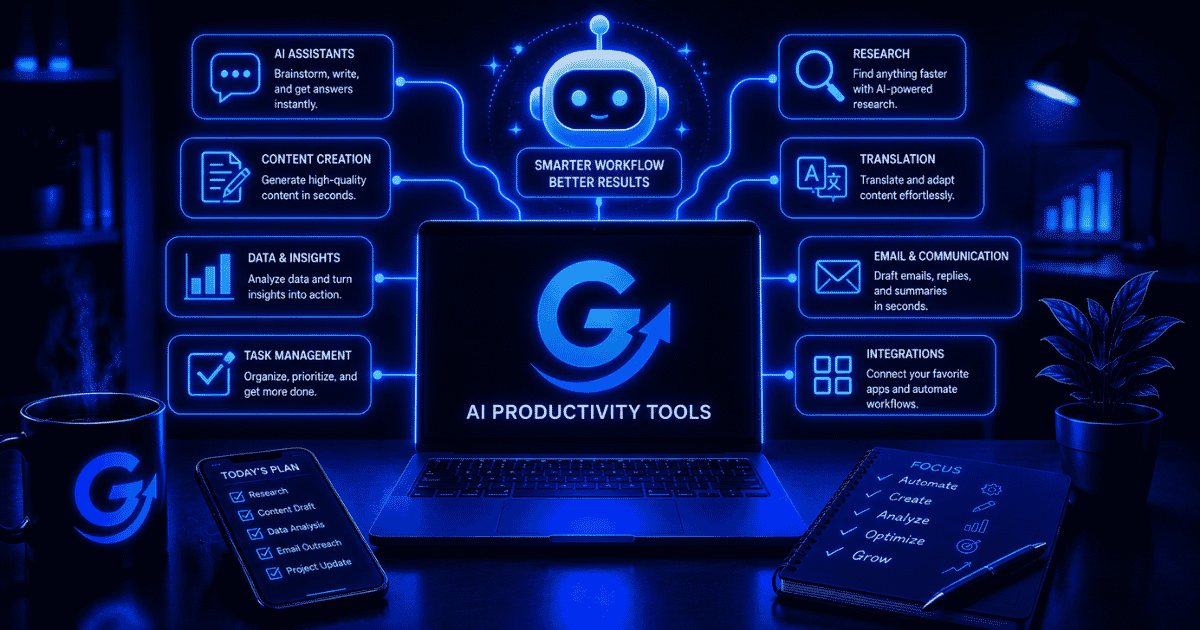
AI productivity tools are software applications that use artificial intelligence to help people complete work faster, reduce repetitive tasks, organize information, make decisions, and automate parts of their workflow.
That can mean something as simple as using AI to summarize a 30-page document or as sophisticated as having an AI-powered workflow analyze an incoming lead, update your CRM, draft a response, and assign a follow-up task automatically.
The important word is productivity.
An AI tool isn’t productive simply because it can generate something impressive. It earns a place in your workflow when it reduces the time, effort, or friction required to produce a useful result.
For marketers and businesses, AI productivity tools commonly help with:
- Writing and editing
- Research and analysis
- Meetings and note-taking
- Task and project management
- Email and communication
- Scheduling
- Knowledge management
- Data analysis
- Workflow automation
- Content creation
The market is already broad enough that AI productivity tools shouldn’t really be considered one category of software anymore. They’re becoming an AI layer across the software people already use to get work done. Current productivity-tool ecosystems span everything from project management and scheduling to email, presentations, transcription, and automation.
What Is an AI Productivity Tool?
An AI productivity tool is software that uses artificial intelligence to automate, accelerate, simplify, or improve a work-related task.
Traditional productivity software generally gives you a system for doing the work. AI productivity software can increasingly help perform parts of the work itself.
Consider the difference:
| Traditional Productivity Tool | AI Productivity Tool |
|---|---|
| Stores your meeting notes | Summarizes the meeting and identifies action items |
| Gives you a blank document | Helps draft, rewrite, or summarize the document |
| Stores tasks | Helps prioritize or create tasks |
| Provides a calendar | Finds appropriate times and helps organize the schedule |
| Stores company information | Answers questions using that information |
| Runs a workflow you configured | Can interpret information before deciding what happens next |
| Gives you spreadsheet functions | Helps analyze and explain the data |
That’s the shift that matters.
AI is moving productivity software from tools you operate toward systems that assist with the work itself.
Microsoft, for example, describes AI productivity tools as a way to automate routine work and assist with tasks such as generating text and images, while Shopify uses a similarly broad definition covering writing, planning, summarization and task management.
How Do AI Productivity Tools Work?
Most AI productivity tools combine artificial intelligence with the data, applications, or workflows involved in completing a task.
Depending on the product, the underlying technology may include large language models (LLMs), machine learning, natural language processing, speech recognition, computer vision, retrieval systems, or automation.
You don’t need to understand all of that to use them effectively.
From the user’s perspective, most AI productivity systems follow a fairly simple process:
- You provide an input. This could be a prompt, email, document, meeting recording, spreadsheet, task, customer record, or other information.
- The AI interprets the information. It identifies context, patterns, instructions, or relevant data.
- The system generates or recommends an output. That could be text, a summary, classification, analysis, schedule, task, or recommendation.
- You review or approve the result. For higher-risk work, human review remains important.
- The result moves into the next part of the workflow. More advanced systems can automatically pass information between applications or trigger additional actions.
This last step is where productivity tools begin overlapping with automation.
If ChatGPT summarizes a customer research document, you’re using AI for productivity.
If a system automatically sends every new research document to an AI model, generates the summary, adds it to your knowledge base, and notifies your team, you’ve created an AI-powered workflow.
Growth Gary’s guide to what workflow automation is goes deeper into that distinction.
What Are the Main Types of AI Productivity Tools?
There isn’t one universally accepted classification system for AI productivity software. The market is evolving too quickly for that.
A more useful way to organize the category is around the job the AI helps accomplish.
AI Assistants
General-purpose AI assistants can help with brainstorming, writing, summarization, analysis, planning, research, problem-solving, and other knowledge work.
Examples include ChatGPT, Claude, Gemini, and Microsoft Copilot.
Their biggest advantage is versatility. Instead of solving one narrow problem, a general AI assistant can help across dozens of everyday tasks.
Their weakness is the same thing.
A general-purpose assistant may be able to help with project management, for example, but that doesn’t necessarily make it a replacement for a dedicated project management system.
AI Writing and Editing Tools
AI writing tools help users generate, rewrite, summarize, edit, and improve written content.
Depending on the platform, that might include:
- Emails
- Marketing copy
- Blog content
- Reports
- Proposals
- Social posts
- Product descriptions
- Internal documentation
Some tools focus primarily on generation, while others specialize in editing, brand consistency, SEO, or specific marketing workflows.
If writing is the primary problem you’re trying to solve, my guide to what AI writing is covers that category in much greater detail.
AI Research Tools
AI research tools help find, organize, analyze, summarize, and synthesize information.
This can dramatically reduce the amount of time spent opening tabs and manually sorting through documents.
Useful applications include competitive research, market research, literature reviews, customer research, content research, and internal knowledge discovery.
The limitation is important: a faster answer isn’t necessarily a correct answer.
Research-oriented AI should make source verification easier, not eliminate it.
AI Meeting Assistants
AI meeting tools can record or transcribe conversations and turn them into structured information.
Common capabilities include:
- Meeting transcription
- Summaries
- Action items
- Speaker identification
- Searchable transcripts
- Follow-up notes
- CRM updates
The productivity gain isn’t simply eliminating note-taking. It’s turning an hour-long conversation into information people can actually retrieve and use afterward.
Krisp is a useful example for meeting-heavy teams. Its AI noise cancellation and voice-enhancement tools focus on making calls clearer, while its meeting features can support transcripts and follow-up workflows. It is best suited to remote workers, sales teams, support teams, and anyone whose productivity suffers when poor audio makes every conversation harder than it needs to be.
The main distinction is focus: Krisp improves the audio and communication layer around meetings rather than trying to replace a full project-management or collaboration system.
AI Task and Project Management Tools
Project management platforms increasingly use AI to help teams understand and manage work.
AI can assist with tasks such as:
- Creating tasks from conversations
- Summarizing project status
- Identifying potential blockers
- Prioritizing work
- Drafting project briefs
- Finding information across projects
- Generating status updates
Platforms such as Asana and Notion have incorporated AI directly into their broader productivity environments.
AI Scheduling and Calendar Tools
AI scheduling tools help decide when work should happen.
Instead of manually finding open blocks on a calendar, these systems can help schedule meetings, protect focus time, reorganize tasks, or adjust schedules as priorities change.
This is a good example of AI solving a small problem that can create surprisingly large amounts of daily friction.
AI Email and Communication Tools
AI can summarize long email threads, draft responses, rewrite messages, identify important information, and sometimes suggest or initiate follow-up actions.
For someone processing five emails a day, this probably isn’t transformative.
For someone processing 150, it might be.
That’s an important principle for evaluating productivity software: the value of automation increases with the frequency and cost of the task.
AI Knowledge Management Tools
Companies accumulate enormous amounts of information across documents, messages, project management systems, cloud drives, and meeting transcripts.
The problem eventually becomes finding it.
AI knowledge tools can help users ask natural-language questions across that information rather than manually hunting through folders and applications.
This turns the traditional company knowledge base from something you search into something you can increasingly ask.
AI Workflow Automation Tools
Workflow automation is where AI productivity starts becoming especially powerful.
Platforms can connect applications so information moves between them automatically, while AI can interpret unstructured information within those workflows.
For example:
Lead form → AI qualification → CRM → personalized response → sales task
Or:
Meeting transcript → AI summary → action items → project management system → team notification
The individual AI output may save a few minutes. Automating the entire sequence can remove an entire recurring process.
If that’s what you’re trying to build, compare the current best workflow automation tools rather than choosing a general productivity app.
What Can AI Productivity Tools Actually Do?
The easiest way to understand the category is to look at the work before and after AI gets involved.
| Work | Without AI | With AI Assistance |
|---|---|---|
| Research | Search and review sources manually | Find, summarize and organize relevant information |
| Meetings | Take notes manually | Transcribe and summarize automatically |
| Read and draft every message | Summarize threads and draft responses | |
| Writing | Start from a blank page | Generate outlines or first drafts |
| Editing | Manually review copy | Identify errors and suggest revisions |
| Projects | Check multiple tasks and updates | Generate project summaries |
| Scheduling | Manually compare calendars | Suggest or reorganize meeting times |
| Knowledge | Search folders and documents | Ask questions across stored information |
| Reporting | Compile information manually | Summarize and interpret data |
| Workflows | Move information between apps | Automate actions and AI-assisted decisions |
Notice that AI doesn’t necessarily eliminate the work.
More often, it changes which part of the work requires a human.
Instead of spending 30 minutes producing a first draft, you might spend five minutes providing context and ten minutes reviewing the result.
That’s still work. It’s just different work.

What Are the Benefits of AI Productivity Tools?
The obvious benefit is speed, but that’s only part of the story.
Less Repetitive Work
Routine tasks are usually the easiest places to find productivity gains.
Summarizing documents, formatting information, categorizing requests, drafting routine messages, extracting action items, and moving information between systems don’t necessarily require someone’s full attention every time.
Removing some of that work frees people to concentrate on tasks requiring judgment.
Faster First Drafts
Blank pages are expensive.
AI is particularly useful at getting work from nothing to something.
That applies to emails, presentations, briefs, reports, project plans, marketing copy, research questions, and countless other forms of knowledge work.
The first output doesn’t need to be perfect to be valuable. It needs to give the human something useful to improve.
Faster Access to Information
Finding information is work.
AI can reduce the gap between having information somewhere and actually being able to use it.
That’s particularly valuable for teams with large collections of documentation, meetings, customer conversations, research, or project history.
Reduced Context Switching
This is one of the less obvious opportunities.
Every time someone moves between email, a CRM, project management software, documents, Slack, analytics and another application, there’s friction.
AI integrations and automation can reduce some of those transitions by bringing information into the workflow where it’s needed.
More Consistent Processes
A defined AI-assisted workflow can make routine processes more consistent.
For example, every customer call could follow the same sequence:
Transcription → summary → action items → CRM update → follow-up draft.
That doesn’t guarantee the AI’s work is correct, but it reduces the chance that the process itself gets forgotten.
What Are the Limitations of AI Productivity Tools?
AI productivity software can save time, but it can also create a remarkably sophisticated way to waste it.
That’s usually because the tool gets adopted before the problem is defined.
AI Can Be Wrong
Generative AI can produce inaccurate information, misinterpret context, omit important details, or generate plausible-sounding nonsense.
Higher-stakes outputs require more verification.
The goal shouldn’t be to remove humans indiscriminately. It should be to put human judgment where it’s most valuable.
More Tools Can Mean Less Productivity
There’s an uncomfortable irony in the productivity-software business: you can spend an enormous amount of time building a system designed to save time.
Every new application introduces another login, interface, subscription, integration, and place where information can live.
A stack of 15 productivity apps isn’t automatically more productive than a stack of five.
Sometimes it’s considerably worse.
AI Still Requires Good Inputs
AI doesn’t magically understand everything you know.
Useful output often depends on useful context.
That may include:
- The goal
- Audience
- Source material
- Constraints
- Examples
- Desired format
- Relevant company information
Prompting matters, but context often matters even more. Microsoft’s guidance similarly emphasizes specificity and providing relevant context when working with AI tools.
Privacy and Security Matter
AI productivity tools may interact with emails, documents, customer data, meeting recordings, financial information, or internal company knowledge.
Before connecting sensitive business systems, understand:
- What information the tool accesses
- Where information is stored
- Whether data is used for model training
- What administrative controls exist
- How permissions work
- Whether the tool meets your organization’s security and compliance requirements
The more useful an AI assistant becomes, the more access it may need. That’s precisely why permissions deserve attention.
Automation Can Scale Mistakes
Manual mistakes happen one at a time.
Automated mistakes can happen 10,000 times before lunch.
Workflows involving publishing, customer communication, payments, sensitive information, or consequential decisions should have appropriate safeguards and approval steps.
AI Productivity Tools vs. AI Automation Tools
These categories overlap, but they’re not identical.
AI productivity tools help you perform work. AI automation tools help work happen automatically.
For example:
- Using AI to draft an email = productivity.
- Automatically drafting an email when a CRM event occurs = automation.
- Having a human approve the email before sending = AI-assisted automation.
- Allowing an AI agent to decide whether and how to respond = increasingly agentic automation.
The boundaries will continue getting blurrier as AI agents gain the ability to use software and take actions.
That’s why I wouldn’t get overly attached to the labels.
Focus on what the system actually does.
How Should You Choose an AI Productivity Tool?
Don’t start by asking, “What’s the best AI productivity tool?”
Start by asking:
“What work am I trying to make easier?”
Then work backward.
1. Identify a Repeated Task
Look for work that happens frequently.
Examples might include:
- Writing similar emails
- Summarizing meetings
- Researching topics
- Preparing reports
- Updating project statuses
- Moving information between applications
- Creating recurring marketing assets
A task performed once a year probably doesn’t need an elaborate AI system.
A task performed 30 times a day might.
2. Measure the Existing Cost
Estimate how much time the process currently consumes.
If five employees each spend two hours per week creating the same type of report, that’s roughly ten employee-hours going into the process every week.
Now you have something meaningful to improve.
3. Decide Whether AI Is Actually Necessary
Sometimes regular automation is better.
If the rule is simply:
When X happens, do Y.
You may not need AI at all.
AI becomes particularly useful when the process involves unstructured information, interpretation, generation, classification, summarization, or judgment.
4. Evaluate the Entire Workflow
A tool that performs one task 50% faster but creates three additional manual steps isn’t necessarily a productivity improvement.
Look at the complete process:
Input → work → review → transfer → output
Then ask where the actual friction exists.
5. Consider Integration
A good tool that fits your existing stack may be more valuable than an extraordinary tool that requires rebuilding your workflow around it.
Check whether the product works with the applications where your work already happens.
6. Consider the Cost of Review
This gets overlooked constantly.
If AI saves 20 minutes producing something but requires 25 minutes of verification, you haven’t increased productivity.
You’ve changed how you spent the time.

7. Start Small
Don’t automate the company on Tuesday.
Pick one annoying, repeatable, measurable process.
Improve it.
Then move to the next one.
How Do You Measure Whether an AI Productivity Tool Is Working?
The simplest metric is useful output per unit of effort.
You don’t need an elaborate AI ROI dashboard to start.
Measure the workflow before and after introducing the tool.
Useful metrics include:
| Metric | What It Tells You |
|---|---|
| Time per task | Whether the work actually became faster |
| Tasks completed | Whether throughput increased |
| Cost per task | Whether the process became cheaper |
| Error/revision rate | Whether speed reduced quality |
| Human review time | How much work AI really removed |
| Tool adoption | Whether people actually use the system |
| Automation success rate | Whether automated workflows complete correctly |
| Number of apps required | Whether the system simplified or complicated work |
For marketing teams, I’d also connect productivity improvements to actual marketing outcomes whenever possible.
Publishing twice as many mediocre articles isn’t necessarily productivity.
Producing the same amount of stronger content with fewer hours might be.
Gary’s Take: Build Workflows, Not a Collection of AI Subscriptions
Here’s where I think people overcomplicate AI productivity.
They start with tools.
I would start with work.
Write down the five things you repeatedly spend too much time doing. Then figure out whether AI can eliminate, shorten, automate, or improve any of them.
You may discover that one general AI assistant, one project-management platform, and one automation tool solve 80% of your problems.
Great.
You don’t get bonus points for having 14 AI subscriptions.
The best AI productivity stack is the smallest collection of tools that reliably makes your work easier.
Common AI Productivity Mistakes
Most failures aren’t caused by choosing a terrible AI model. They’re caused by building a bad system around a decent one.
Common mistakes include:
- Buying tools before identifying the problem
- Automating a broken process
- Using AI where simple rules would work better
- Failing to review important outputs
- Giving tools unnecessary access to sensitive information
- Measuring output volume instead of useful outcomes
- Creating too many overlapping subscriptions
- Ignoring integration with existing software
- Spending more time maintaining the productivity system than using it
There’s also a more subtle problem: AI can make it possible to produce more work without making that work more valuable.
Productivity isn’t more stuff.
It’s accomplishing something useful with less unnecessary effort.

Are AI Productivity Tools Worth It?
AI productivity tools are worth using when they remove meaningful friction from work without introducing more complexity than they eliminate.
They’re especially valuable when a task is repetitive, time-consuming, information-heavy, or requires frequent summarization, generation, classification, or coordination.
They’re less compelling when the task is rare, the AI output requires extensive correction, the software duplicates tools you already have, or the consequences of an error outweigh the time savings.
For many marketers and small businesses, the right starting point isn’t an enormous AI stack.
It’s one or two clearly defined use cases.
Find the bottleneck first.
Then find the tool.
FAQs About AI Productivity Tools
What are AI productivity tools?
AI productivity tools are software applications that use artificial intelligence to automate, accelerate, simplify, or improve work. They can help with writing, research, meetings, scheduling, project management, communication, knowledge management, and automation.
What are examples of AI productivity tools?
Examples include general AI assistants such as ChatGPT and Claude, knowledge and project tools such as Notion, AI meeting assistants, intelligent scheduling applications, writing tools, and workflow platforms such as Make, n8n, and Zapier. The category is broad because AI productivity increasingly describes capabilities across many types of business software.
What’s the difference between generative AI and AI productivity tools?
Generative AI is technology that can create new content such as text, images, audio, video, or code. An AI productivity tool is an application designed to use AI—including generative AI—to help accomplish work. Generative AI is therefore a technology that can power an AI productivity tool rather than a synonym for the entire category.
Can AI productivity tools replace employees?
AI productivity tools are generally better understood as systems that automate or assist with tasks, not as universal replacements for entire jobs. A single role may contain dozens of tasks requiring different levels of context, accountability, creativity, communication, and judgment.
Can small businesses benefit from AI productivity tools?
Yes. Small businesses can use AI for repetitive administrative work, marketing, research, customer communication, meeting summaries, content production, scheduling, and workflow automation. The strongest opportunities are usually frequent tasks where even modest time savings accumulate.
How many AI productivity tools do I need?
Probably fewer than you think. Start with the problems you need to solve and add software only when it has a clear role. Overlapping tools can increase cost, context switching, training requirements, and workflow complexity.
Related Growth Gary Content
Explore This Topic
- Best AI Productivity Tools
- How to Build an AI Productivity Stack
- AI Productivity Tools for Small Businesses
- AI Productivity Tools for Marketing Teams
- AI Productivity Tools for Solopreneurs
- AI Productivity vs. Workflow Automation
- How to Measure AI Productivity
- How to Automate Repetitive Work With AI
- AI Productivity Tools for Meetings
- AI Productivity Tools for Project Management
Building a smarter marketing stack isn’t about buying more tools—it’s about choosing the right ones. That’s the kind of growth I like.
— Gary
The changes actually worth knowing
A short briefing that filters the noise into useful AI, marketing, technology, tools, and ideas for marketers and businesses.