
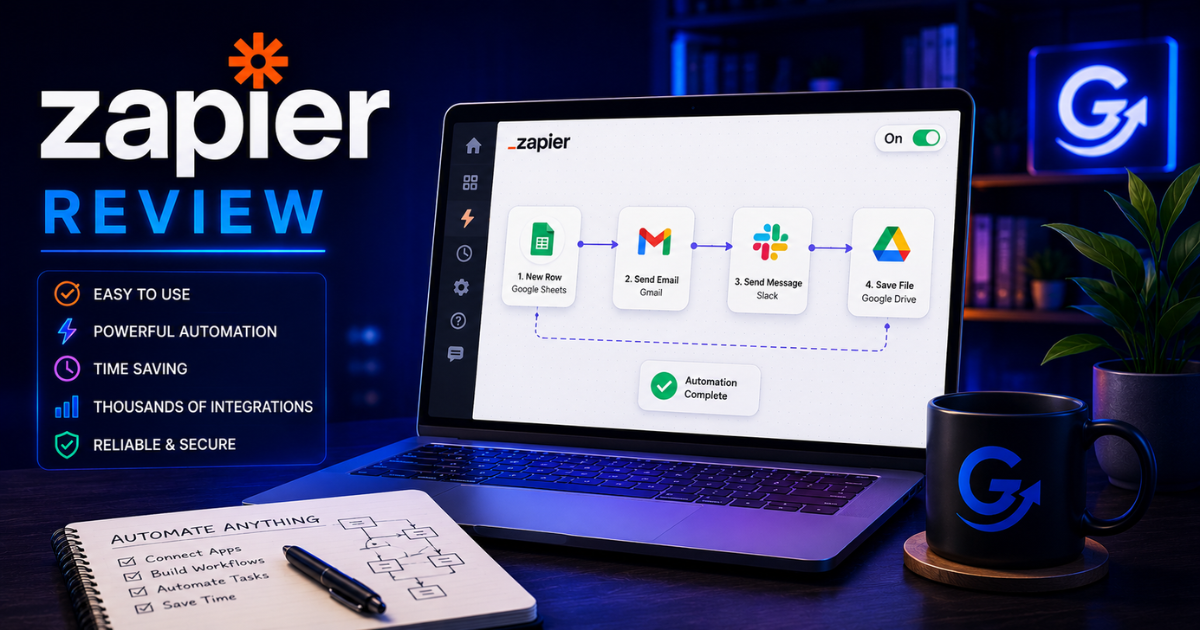
Zapier remains one of the easiest ways to connect business apps and automate repeatable work without code. Its main tradeoff is cost: task-based pricing can rise quickly as workflows run more often or add more actions.
Quick answer: Is Zapier still worth it?
Yes—especially for nontechnical teams that value fast setup, broad app coverage, and a low learning curve. Choose Zapier when getting a reliable workflow live matters more than maximizing visual control or minimizing cost at high volume. Consider Make for complex visual scenarios, n8n for technical flexibility or self-hosting, and Microsoft Power Automate for Microsoft-centered organizations.
How this review was evaluated: ease of setup, app coverage, workflow depth, task-based cost, maintainability, and fit for marketing teams. Pricing and product details were checked against Zapier’s public information on October 21, 2026.
In this review
Zapier at a Glance
| Category | Assessment |
|---|---|
| Best for | No-code business automation and broad app connectivity |
| Pricing | Free plan with 100 tasks per month; Professional starts at $19.99/month and Team at $69/month. Zapier shows annual billing as saving 33% (source). |
| Primary strength | 9,000+ app integrations and a low learning curve |
| Primary weakness | Task-based costs can rise as workflow volume and complexity grow |
| Main alternatives | Make, n8n, Microsoft Power Automate, and HubSpot Workflows |
What Is Zapier?
Zapier is a workflow automation platform.
Instead of manually moving information between applications, Zapier lets software exchange data and start defined actions automatically. If the underlying concept is new, this workflow automation guide explains triggers, rules, actions, approvals, and exceptions.
A typical workflow—called a Zap—consists of:
- A trigger
- One or more actions
Example:
Someone fills out a website form.
Zapier automatically:
- Creates a HubSpot contact
- Sends a Slack notification
- Adds the lead to Kit
- Creates an Asana task
- Logs the information in Google Sheets
No copying.
No pasting.
No forgetting.
That’s where Zapier delivers its biggest value.
How Zapier Works
Every automation starts with a trigger.
Examples include:
- New lead submitted
- New purchase
- New email
- Calendar booking
- New spreadsheet row
- Form completion
The trigger launches one or more actions.
Those actions can happen across thousands of connected applications.
Modern Zapier workflows can also include:
- Filters
- Delays
- Branching logic
- AI-powered text generation
- Webhooks
- Code steps
- Database lookups
- Conditional workflows
For most marketing teams, those capabilities cover almost everything needed.

Key Features
Massive App Library
This is still Zapier’s biggest competitive advantage.
The platform connects with more than 9,000 apps, according to Zapier’s current directory (source), including:
- HubSpot
- Salesforce
- Gmail
- Slack
- Notion
- Airtable
- Google Workspace
- Microsoft 365
- Shopify
- WooCommerce
- Stripe
- Kit
- Beehiiv
- Canva
- OpenAI
- Claude
- Dropbox
- Trello
- Monday.com
If two platforms don’t natively integrate, Zapier often fills the gap.
AI-Powered Automation
Zapier has expanded beyond traditional workflow automation. AI by Zapier can add model-powered steps, knowledge sources, and tool calls inside a Zap (source).
Today it includes AI capabilities that can:
- summarize emails
- classify leads
- rewrite text
- generate responses
- extract information
- categorize support requests
Instead of automating only data movement, Zapier can now automate portions of decision-making.
That significantly expands what marketers can automate.
Multi-Step Workflows
Zapier can connect an entire repeatable process to one trigger. A lead workflow might:
- Capture a new lead from a form.
- Use a defined rule or AI step to qualify the lead.
- Create or update the CRM record.
- Notify the right team in Slack.
- Enroll the contact in an appropriate email sequence.
- Create follow-up tasks and reminders.
- Update the reporting sheet or dashboard.
Each successful action can affect task usage, so estimate monthly runs and actions before building a long production workflow.
Templates
Zapier includes thousands of pre-built automation templates.
These help beginners launch workflows without building everything from scratch.
Common examples include:
- Lead routing
- Email notifications
- CRM updates
- Social publishing
- Ecommerce notifications
- Marketing reports
Templates dramatically reduce setup time.
What Zapier Does Well
Extremely easy to learn
Among automation platforms, Zapier remains one of the easiest to understand.
Most marketers can build useful automations within an hour.
That low learning curve matters.
Huge integration ecosystem
Zapier supports more business software than almost any competitor.
The chances are good your favorite application is already supported.
Reliable
For mature marketing teams, reliability matters more than flashy features.
Once properly configured, Zapier workflows tend to require little maintenance.
Excellent for marketing
Typical marketing automations include:
- Lead routing
- CRM updates
- Email nurturing
- Webinar registrations
- Content publishing
- Reporting
- Internal notifications
- Customer onboarding
These repetitive tasks are exactly what automation should handle.
Map the marketing system before you automate it
GrowthGary AI Marketing ChatOS helps turn scattered priorities into a practical 90-day plan, so you can identify the few workflows worth building first.
Where Zapier Falls Short
Pricing scales with usage
Zapier uses task-based pricing. A successful action generally counts as a task, while triggers do not; AI steps, code, MCP, and SDK usage can draw from the same task pool at different rates (source).
As workflows become larger, costs can increase quickly.
Businesses running thousands of automations each month should monitor usage carefully.
Complex workflows become expensive
Multi-step automations consume more tasks.
Large organizations may eventually find platforms like Make or self-hosted n8n more economical.
Visual workflow design
Zapier is simple.
Make offers more visual control over complicated automation scenarios.
Developers often prefer n8n because it provides greater customization.

Zapier vs the Competition
| Platform | Better choice when… |
|---|---|
| Zapier | Ease of use, quick implementation, and broad app coverage are the priority |
| Make | Complex visual workflows and transformations matter |
| n8n | You want technical flexibility, custom code, APIs, or self-hosting |
| Microsoft Power Automate | Your organization is centered on Microsoft 365 |
| HubSpot Workflows | Most automation stays inside marketing, sales, and CRM operations |
Each platform has strengths.
Zapier remains the easiest recommendation for beginners. For a deeper feature-by-feature breakdown, compare Zapier, Make, and n8n.
Gary’s Take
If I were helping a small business automate marketing tomorrow, I’d probably recommend Zapier first.
Not because it’s the most powerful.
Because it’s the easiest platform to implement successfully.
I’ve seen plenty of businesses buy sophisticated automation software only to build three workflows and never touch it again.
Automation should remove complexity—not create it.
Once your automations become highly sophisticated, I’d start evaluating Make or n8n.
For many marketing teams, Zapier can automate most of the repeatable work that spans the apps they already use.
Pros and Cons
Pros
- Extremely beginner friendly
- Thousands of integrations
- Reliable platform
- Excellent template library
- Strong AI automation features
- Quick setup
Cons
- Costs increase with usage
- Multi-step workflows consume tasks quickly
- Less visual than Make
- Less customizable than n8n
- Advanced enterprise automation may require another platform
Verdict
Best For
- Marketing teams
- Agencies
- Small businesses
- Creators
- Sales teams
- Operations
Probably Not For
- Developers wanting full customization
- Organizations running extremely high-volume automation
- Businesses needing on-premise deployment
Overall Recommendation
Zapier remains one of the best automation platforms available because it solves a common problem exceptionally well: connecting the software you already use.
If your goal is to eliminate repetitive marketing work without learning to code, Zapier is still one of the easiest and safest recommendations I can make.
Frequently Asked Questions
Is Zapier worth paying for?
Yes, if it saves enough manual work to justify the subscription cost. For many businesses, even one well-designed workflow can pay for itself through time savings.
Is Zapier easy to learn?
Yes. Zapier is widely regarded as one of the most beginner-friendly automation platforms thanks to its guided workflow builder and large library of templates.
What is Zapier used for?
Zapier automates repetitive tasks between applications, such as routing leads, updating CRMs, sending notifications, creating tasks, syncing spreadsheets, and triggering email campaigns.
Is Zapier better than Make?
Zapier is generally easier to learn and deploy. Make offers greater flexibility and more advanced visual workflow design for complex automations.
Can Zapier replace HubSpot workflows?
Not entirely. Zapier complements HubSpot by connecting it with external applications. HubSpot’s native workflows are often better for CRM-based marketing automation.
Does Zapier use AI?
Yes. Zapier includes AI-powered actions that can summarize content, classify information, generate text, extract data, and assist with workflow automation.
Is Zapier good for small businesses?
Absolutely. Small businesses often see the biggest return because Zapier automates repetitive administrative tasks without requiring custom development.
Continue your evaluation
Start with the practical guide to workflow automation, review the best workflow automation tools, or identify the marketing automations that tend to save the most time.
Building a smarter marketing stack is not about buying more tools—it is about choosing the right ones.
— Gary