
Disclosure: The platform buttons on this page currently use standard, non-affiliate links. If that changes, Growth Gary may earn a commission at no additional cost to you. Editorial recommendations remain independent. See the Affiliate Disclosure and review methodology.
Reviewed and updated September 25, 2026.
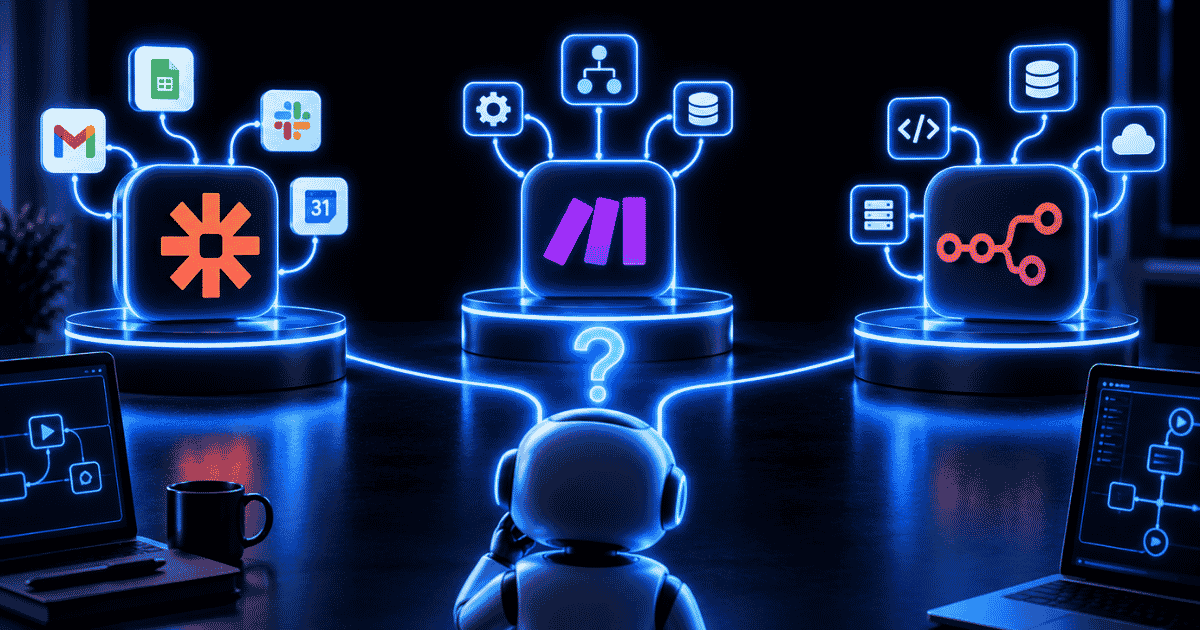
Zapier, Make, and n8n can all automate repetitive work between the apps your business already uses. The real difference isn’t whether they can connect tools and move data. It’s how much simplicity, control, technical flexibility, and ongoing maintenance you want to own.
Zapier is usually the easiest option for nontechnical teams that want automations running quickly. Make gives visual builders more control over branching, transformations, and complex workflows. n8n goes further toward developers, technical operations teams, AI workflows, custom code, and self-hosted automation.
There isn’t one universal winner.
The best automation platform is the one your team can build with, maintain, and still understand when something breaks six months from now.
TL;DR
Choose Zapier if ease of use, quick implementation, and broad app coverage matter most.
Choose Make if you want a visual workflow builder with more control over branching, logic, and data transformations.
Choose n8n if your team has technical resources and values custom code, APIs, self-hosting, or execution-based pricing.
For most small marketing teams, Zapier is the safest starting point. For marketers and automation specialists who want more control, Make is a strong middle ground. For developers and technical operations teams, n8n can be the most powerful long-term option.
Zapier vs. Make vs. n8n at a Glance
| Feature | Zapier | Make | n8n |
|---|---|---|---|
| Best for | Fast business automation | Visual, complex workflows | Technical and custom automation |
| Learning curve | Lowest | Moderate | Highest |
| App ecosystem | 9,000+ apps | 3,000+ apps | Integrations plus APIs and custom nodes |
| Billing model | Tasks/actions | Credits/module actions | Workflow executions |
| Hosting | Managed cloud | Managed cloud | Cloud or self-hosted |
| Custom code | Available | JavaScript and Python available | Strong JavaScript, Python, and developer tooling |
| Main advantage | Simplicity | Visual control | Flexibility and infrastructure control |
| Main tradeoff | Cost can rise with usage | Complex scenarios require more learning | More technical ownership |
Zapier lists more than 9,000 app connections (source). Make lists more than 3,000 prebuilt app integrations (source). n8n combines prebuilt integrations with HTTP requests, code steps, webhooks, and custom nodes (source).
That difference matters because the platforms are solving slightly different versions of the automation problem.
Zapier: Best for Getting Automations Running Quickly
Zapier is the easiest of the three platforms to recommend to a typical marketing or business team.
The basic workflow is straightforward: something happens in one application, and Zapier triggers one or more actions somewhere else.
For example:
A website form gets submitted. Zapier adds the contact to your CRM, sends a Slack notification to sales, creates a follow-up task, and updates a spreadsheet.
You don’t need to understand servers, APIs, infrastructure, or data orchestration to accomplish many common business automations.
Zapier’s other major advantage is its integration ecosystem. With more than 9,000 supported applications, there’s a good chance the software your business already uses has a native Zapier integration.
Zapier has also expanded beyond traditional Zaps into tools such as Forms, Tables, AI functionality, and other workflow orchestration features.
Review Zapier’s current plans and task allowances before estimating cost (source).
Where Zapier Is Strongest
Zapier makes the most sense for:
- Marketing and operations teams without dedicated developers
- Businesses that want automations deployed quickly
- Companies using lots of different SaaS applications
- Lead routing and follow-up
- Notifications
- CRM updates
- Form processing
- Basic data synchronization
Where Zapier Falls Short
Convenience can become expensive as automation volume grows.
Zapier generally measures usage around the tasks performed by your workflows. A short automation running occasionally may be inexpensive. A workflow running thousands of times with several billable actions can become significantly more expensive.
Zapier can also feel less elegant when workflows become heavily branched or require substantial data transformation.
That’s where Make becomes more interesting.
Make: Best for Visual Control and More Complex Workflows
Make approaches automation more like building a visual system.
Instead of thinking primarily in a linear trigger → action → action sequence, you can see a workflow mapped across a visual canvas.
Routers divide information into different paths. Filters control what continues. Iterators process multiple records. Aggregators bring data back together.
For simple automations, that added flexibility may not matter much.
For complicated workflows, it can matter a lot.
Imagine a new lead enters your CRM.
Enterprise leads go to one sales team. Small-business leads go somewhere else. Existing customers trigger a customer-success workflow. Records are enriched, scored, placed into different email sequences, and logged in a reporting database.
Being able to see those relationships visually can make a complicated automation easier to understand and troubleshoot.
Make has also expanded into AI automation, AI agents, MCP connectivity, code capabilities, and other more sophisticated workflow functionality.
Review Make’s current plans and credit allowances before estimating cost (source).
Where Make Is Strongest
Make is a strong fit for:
- Marketers becoming serious automation builders
- Agencies managing complex client workflows
- Multi-step automations
- Branching logic
- Data transformation
- Workflows involving multiple conditions
- Teams that want more control without managing their own servers
Where Make Falls Short
Make’s flexibility comes with a learning curve.
Mapping, bundles, routers, filters, and error handling aren’t especially difficult once you understand them, but the platform isn’t quite as immediately approachable as Zapier.
Large scenarios can also become visually complicated.
The more powerful your workflow becomes, the more important good structure and documentation become.
n8n: Best for Technical Flexibility and Control
n8n sits further toward the technical end of the automation spectrum.
It still provides a visual workflow editor, but technical users have substantially more room to customize how automations work.
n8n supports features such as:
- JavaScript and Python code steps
- Custom API requests
- Webhooks
- Complex logic
- Custom nodes
- Queue-based processing
- Self-hosting
One of n8n’s biggest differentiators is deployment flexibility.
You can use the managed n8n Cloud offering or self-host the Community Edition on infrastructure your organization controls. Compare the managed-cloud and self-hosted options before choosing a deployment model (source).
That makes n8n particularly appealing when data control, custom development, or infrastructure ownership matters.
But self-hosting isn’t magically free.
Someone still has to deploy the software, secure it, update it, monitor it, back it up, and troubleshoot problems.
If your marketing manager accidentally becomes the company’s DevOps department, you’ve probably optimized the wrong thing.
n8n’s Execution-Based Pricing Is Different
n8n Cloud also uses a fundamentally different pricing structure.
Rather than primarily charging for each individual action inside a workflow, n8n prices its cloud plans around complete workflow executions.
That can become attractive for sophisticated workflows containing many steps because a long workflow can still count as a single execution.
The catch is that an n8n execution isn’t directly comparable to a Zapier task or Make credit.
Where n8n Is Strongest
n8n is particularly well suited for:
- Developers
- Technical automation specialists
- Complex API-driven workflows
- AI agents
- Custom AI workflows
- Organizations requiring self-hosting
- Teams that want infrastructure control
- Automations containing many individual steps
Zapier vs. Make vs. n8n Pricing Isn’t Apples to Apples
This is where a lot of comparisons become misleading.
You can’t simply look at the entry-level prices for Zapier, Make, and n8n and conclude that whichever subscription costs least is automatically the cheapest platform.
They’re measuring different things.
Zapier generally bills around tasks or actions.
Make uses credits, with module activity generally contributing to usage.
n8n Cloud prices around complete workflow executions.
The better approach is to model one real workflow.
Suppose an automation runs 5,000 times per month and performs eight actions each time.
Estimate what that exact workflow would consume under each platform’s pricing model.
Then include another cost that marketers often forget:
maintenance time.
A cheaper platform isn’t cheaper if your team spends several extra hours every month diagnosing failed workflows.

Which Should You Choose: Zapier, Make, or n8n?
The decision gets easier when you start with the team rather than the technology.
Choose Zapier if simplicity matters most
Start with Zapier when your team wants automation without needing to become automation engineers.
Its large integration ecosystem and approachable workflow model make Zapier particularly attractive for marketers, small businesses, and general operations teams.
Choose Make if you want greater workflow control
Make becomes more compelling when you’ve moved beyond simple app-to-app automations and want better control over branching, transformations, and workflow logic.
For marketers who want to get genuinely good at workflow automation, Make occupies an interesting middle ground between Zapier’s accessibility and n8n’s technical flexibility.
Choose n8n if control matters more than convenience
n8n makes the most sense when developers or technically sophisticated operators will own the automation environment.
Self-hosting, code, APIs, and execution-based pricing can make n8n extremely powerful.
Those advantages only matter, however, if your organization is willing to own the additional complexity.
Gary’s Take
The wrong question is:
Which automation platform can do the most?
A better question is:
Which platform can my team reliably operate?
There’s a difference.
Zapier is still my safest recommendation for a typical business team that wants useful automation running quickly.
Make is probably the most compelling choice for marketers and automation specialists who want significantly more control without taking responsibility for infrastructure.
n8n is the option I’d look at hardest for a technically sophisticated automation environment, particularly one involving APIs, AI agents, custom logic, or self-hosting.
The winner changes depending on who’s building the workflows.
That’s exactly how it should be.
Final Verdict: Zapier vs. Make vs. n8n
Zapier wins for ease of use.
Make wins for visual workflow control.
n8n wins for technical flexibility.
If you’re new to automation, don’t make the platform decision harder than it needs to be. Start with the simplest tool that can reliably solve the problem you have now.
If you’re comparing the broader market, see my guide to the best workflow automation tools to understand where Zapier, Make, n8n, and other platforms fit.
Automation isn’t valuable because the workflow diagram looks impressive.
It’s valuable because work that used to require your attention simply gets done.
That’s automation earning its place. — Gary
Frequently Asked Questions
Is n8n better than Zapier?
n8n provides more technical flexibility, developer control, and self-hosting options, but that doesn’t automatically make it better. Zapier is generally easier for nontechnical users and supports a much larger native app ecosystem. The better platform depends on who will build and maintain the automation.
Is Make cheaper than Zapier?
Make has a lower published entry price, but actual costs depend on workflow volume and complexity. Because Make and Zapier calculate usage differently, model the cost of your actual workflows rather than comparing starting subscription prices alone.
Is n8n free?
n8n offers a self-hosted Community Edition. The software can be self-hosted without paying for n8n Cloud, but your organization still has infrastructure, hosting, maintenance, security, and administration costs.
Is Make easier than n8n?
For most nondevelopers, Make will generally be easier to adopt. Its visual workflow builder can support sophisticated automations without requiring the level of infrastructure ownership or technical customization that makes n8n particularly powerful.
Which automation tool is best for marketers?
Zapier is usually the easiest starting point for marketers. Make is particularly attractive for marketers who expect to build increasingly sophisticated workflows. n8n is more appropriate when technical resources are available or the automation requirements justify additional complexity.
Which platform is best for AI automation?
All three platforms increasingly support AI-powered workflows.
Zapier emphasizes accessibility and broad application connectivity. Make combines visual workflow design with increasingly sophisticated AI functionality. n8n offers particularly deep customization for technical teams building AI agents, API-driven systems, and advanced AI automations.
The best choice depends less on whether the platform supports AI and more on how sophisticated the AI workflow needs to become.