
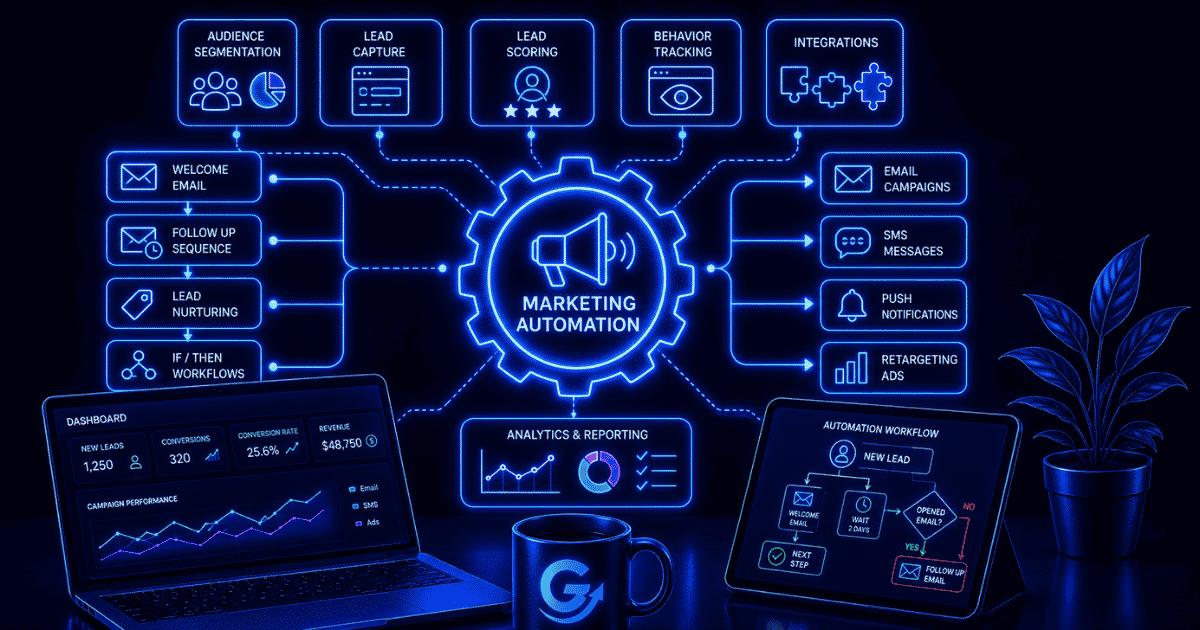
Marketing automation uses software to coordinate repeatable marketing work based on customer data, behavior, schedules, and business rules. It can capture a lead, place the contact in the right segment, send a relevant message, update the CRM, notify sales, and record the outcome without someone manually completing every step.
The value is not simply sending more messages. Good marketing automation helps a business communicate at the right moment, maintain clean handoffs, and measure what happened. Poor automation scales irrelevant messages, bad data, and broken processes. The difference comes from the strategy, data, controls, and ownership behind the software.
TL;DR
Marketing automation turns defined customer and campaign processes into workflows. A trigger starts the automation, customer data supplies context, rules select a path, actions deliver messages or update systems, and measurement shows whether the workflow produced the intended result. Start with one useful customer moment—such as a welcome sequence, lead handoff, abandoned-cart reminder, or renewal notice. Map the process, confirm consent and data quality, test every path, and measure business outcomes rather than send volume.
What is marketing automation?
Marketing automation is the use of software to manage and execute repeatable marketing processes across channels. Salesforce describes it as technology that automatically manages marketing processes and multi-function campaigns, with workflows controlling when messages and actions occur (source).
The process may include email, forms, landing pages, CRM updates, audience segmentation, lead scoring, sales alerts, advertising audiences, SMS, push notifications, or reporting. The important part is that the actions follow an intentional customer journey and a defined business rule.
Marketing automation is not a substitute for positioning, useful content, a clear offer, or customer understanding. It is the operating layer that helps a team deliver those things consistently.
How does marketing automation work?
1. A trigger starts the workflow
A trigger can be behavioral, data-based, scheduled, or manual. Examples include submitting a form, entering a customer segment, abandoning a cart, purchasing a product, reaching a renewal date, visiting a key page, or receiving a webhook. HubSpot’s workflow documentation distinguishes event, filter, webhook, schedule, and manual enrollment triggers (source).
2. Customer data provides context
The system reads relevant information such as lifecycle stage, consent status, product interest, location, previous purchases, engagement history, account owner, and campaign source. Missing, stale, duplicated, or incorrectly matched data can send a person down the wrong path.

3. Rules choose what happens next
Conditions and branches determine eligibility, timing, message, channel, owner, and exit criteria. A customer should leave an abandoned-cart sequence after completing the purchase. A current customer should not receive a first-purchase offer. A sales-ready lead may need a human follow-up instead of another nurture email.
4. Actions execute the plan
An action might send a message, create a task, change a field, add or remove a segment, assign an owner, notify a team, synchronize an advertising audience, or call another application.
5. Measurement closes the loop
The workflow records delivery, engagement, conversion, revenue, handoff, failure, and opt-out signals. These results should inform the next iteration rather than remain trapped in a campaign dashboard.
The core elements of marketing automation
| Element | Purpose | Example |
|---|---|---|
| Trigger | Starts a workflow | A visitor requests a guide |
| Profile data | Adds customer and account context | Industry, lifecycle stage, consent |
| Condition | Selects the appropriate path | Customer versus prospect |
| Action | Completes or creates work | Send an email and update the CRM |
| Delay | Controls timing | Wait two business days |
| Goal or exit | Stops irrelevant next steps | Exit after purchase |
| Exception | Routes failure or ambiguity | Send an invalid record to review |
Adobe’s marketing automation guide similarly emphasizes that the system can coordinate campaigns across channels and the customer lifecycle, but that success also depends on strategy, process, content, lead flow, and people—not only technology (source).
Marketing automation vs. related systems
| System | Primary role | How it relates |
|---|---|---|
| Email marketing | Create, send, and measure email | Email is one channel marketing automation can orchestrate |
| CRM | Maintain relationship, account, deal, and activity records | Often supplies data and receives workflow updates |
| Workflow automation | Move work through triggers, rules, handoffs, and actions | Broader discipline used inside and outside marketing |
| Customer data platform | Unify and activate customer data | Can improve audience and personalization inputs |
| AI automation | Interpret, predict, classify, or generate with AI | Adds probabilistic capabilities to defined workflows |
| AI agent | Select tools and steps dynamically toward a goal | Useful only when a fixed workflow is insufficient |
A small business may use one platform for several of these functions, but the concepts are still different. Read the broader guide to workflow automation to see how triggers, rules, approvals, and exceptions apply across the business.

Marketing automation examples
Welcome and onboarding
A new subscriber receives the promised resource, a short introduction to the brand, useful next steps, and an invitation based on their stated interest. A new customer may instead receive account setup, education, and a first-success milestone.

Lead nurturing and sales handoff
A lead can receive useful content related to the original request while engagement and fit signals update the CRM. When agreed qualification criteria are met, the workflow creates a sales task with the context needed for a relevant conversation.

Abandoned cart and post-purchase
A cart reminder can respond to a specific shopping event and stop immediately after purchase. Microsoft’s trigger-based journey documentation shows how an abandoned-cart event, conditions, channel actions, and a purchase-completed exit can work together (source).
Retention, renewal, and re-engagement
Lifecycle dates and product activity can trigger education, renewal notices, replenishment reminders, satisfaction checks, or an intervention when expected engagement drops. These programs need frequency controls so a customer does not receive overlapping or contradictory messages.
Campaign operations
Automation can standardize list checks, approvals, tracking, audience synchronization, task creation, and reporting. These behind-the-scenes workflows often save more time than adding another customer-facing message.
Benefits of marketing automation
- Consistent follow-up: Important customer moments do not depend on someone remembering the next step.
- Better timing: Behavioral triggers can respond when interest or need is visible.
- Scalable personalization: Rules can vary content and paths using trustworthy profile data.
- Cleaner handoffs: Marketing and sales can share definitions, ownership, and context.
- Operational efficiency: Repetitive list, routing, update, and reporting work can be reduced.
- Measurable journeys: Teams can see where people enter, progress, convert, exit, or stall.
The benefits come from improving a real process. More campaigns, branches, and messages do not automatically create more value.
What marketing automation cannot fix
- An unclear value proposition or weak offer.
- Content that does not answer the customer’s question.
- Poorly defined lifecycle stages or sales qualification.
- Incomplete consent records or unreliable customer data.
- Conflicting ownership between marketing, sales, and service.
- Low deliverability caused by authentication, reputation, or list-quality problems.
- A process that should be simplified or removed instead of automated.
Automation makes the existing logic faster and more consistent. If that logic is wrong, the system can scale the mistake.
Are you ready for marketing automation?
| Question | Ready signal | Warning signal |
|---|---|---|
| Is the customer moment clear? | A defined trigger and useful next action | “Send more email” is the whole strategy |
| Is the data dependable? | Required fields and consent are available | Duplicates and missing ownership are common |
| Is there enough volume? | The process repeats regularly | It happens only a few times per year |
| Is success measurable? | A specific customer or business outcome | Only sends and opens are tracked |
| Is there an owner? | One person owns logic and maintenance | Nobody reviews live workflows |
| Can mistakes be contained? | Testing, suppression, exit, and pause controls | One error can affect the full database |
How to get started with marketing automation
1. Choose one valuable customer moment
Start with a workflow that runs often, has clear rules, and produces a measurable outcome. Welcome, lead routing, onboarding, abandoned cart, and renewal workflows are common candidates because the trigger and intended next step are usually easy to define.
2. Map the current journey
Document the trigger, audience, data, messages, timing, decisions, system updates, owner, exit criteria, and exceptions. Remove unnecessary steps before configuring software.
3. Prepare data and consent
Define required fields, sources of truth, synchronization rules, subscription status, suppression logic, and retention practices. Never let a convenience field silently override a person’s communication choice.
4. Build the minimum reliable version
Use the fewest branches and applications necessary. Name each workflow clearly, document what it changes, limit permissions, and make failures visible to an owner.
5. Test normal and abnormal paths
Test new and existing contacts, missing values, duplicate events, previous purchasers, opt-outs, timing boundaries, CRM failures, repeated entry, and the intended exit. Confirm what the customer sees as well as what the database records.
6. Launch gradually and review
Start with a controlled audience. Watch delivery, conversion, exits, errors, complaints, and handoffs. Keep a simple change log so the team knows why the workflow behaves as it does.
How to measure marketing automation
Use operational, customer, and business measures together. A workflow that runs perfectly but produces no useful outcome is not successful.
- Operational: enrollment volume, completion rate, failure rate, processing time, exceptions, and manual interventions.
- Customer: response, unsubscribe, complaint, satisfaction, time to value, and successful next-step completion.
- Business: qualified leads, conversion rate, revenue, retention, renewal, cost per outcome, and sales-cycle movement.
Compare performance with a meaningful baseline or control group where practical. Opens and clicks can help diagnose a workflow, but they are not substitutes for the outcome the workflow was built to improve.

Compliance and deliverability belong in the workflow
Marketing automation must respect the laws and platform requirements that apply to the audience, channel, and location. In the United States, the FTC’s CAN-SPAM guidance requires accurate sender information and subject lines, a valid postal address, a clear opt-out method, and timely handling of opt-out requests for commercial email (source). Other jurisdictions and channels may impose different or stricter requirements, so legal review may be appropriate.
Deliverability is also an operating requirement. Google’s sender guidance calls for email authentication and, for bulk senders, SPF, DKIM, and DMARC, along with one-click unsubscribe for marketing and subscribed messages (source). A workflow should check consent, suppression, frequency, and eligibility before every send—not only when a contact first enters.
How AI changes marketing automation
AI can classify leads, summarize activity, predict likelihood, recommend content, extract information, and draft variations. These capabilities can improve a workflow when they solve a bounded problem and are evaluated against a clear standard.
Use deterministic rules for known decisions such as consent, eligibility, frequency caps, required approvals, and transaction status. Use AI automation where interpretation adds value. Consider an agent only when the work genuinely requires dynamic decisions or tool selection; OpenAI’s agent guidance recommends conventional automation when fixed rules are sufficient and agents for workflows with complex decisions, difficult rules, or unstructured data (source).
Frequently Asked Questions
What is marketing automation in simple terms?
Marketing automation uses software to perform and coordinate repeatable marketing actions based on triggers, customer data, timing, and rules.
What is an example of marketing automation?
After someone submits a form, the system records the contact, sends the requested resource, places the person in the correct segment, schedules relevant follow-up, and alerts sales if agreed qualification criteria are met.
Do small businesses need marketing automation?
A small business can benefit when a valuable marketing process repeats often enough to justify setup and maintenance. It does not need a large platform to begin; one reliable workflow can be enough.
Is marketing automation the same as a CRM?
No. A CRM primarily maintains relationship, account, deal, and activity data. Marketing automation uses data and workflows to execute marketing processes. Many platforms combine or closely integrate the two.
What is the best marketing automation software?
The right tool depends on channels, CRM integration, data model, workflow complexity, permissions, reporting, volume, deliverability support, budget, and the people who will operate it. Compare platforms against a mapped workflow, not a feature list alone.
Does marketing automation require coding?
Not always. Many platforms provide visual workflow builders and supported integrations. Custom events, complex data transformations, unusual systems, or advanced governance may require technical help.
The Practical Takeaway
Marketing automation is most valuable when it helps a customer take a useful next step while making the business process more reliable. Begin with one clearly defined moment, use trustworthy data, preserve consent and human ownership, build explicit exits and exception paths, and measure the outcome. A small workflow that customers experience as timely and relevant is better than a complex system that merely sends more.