
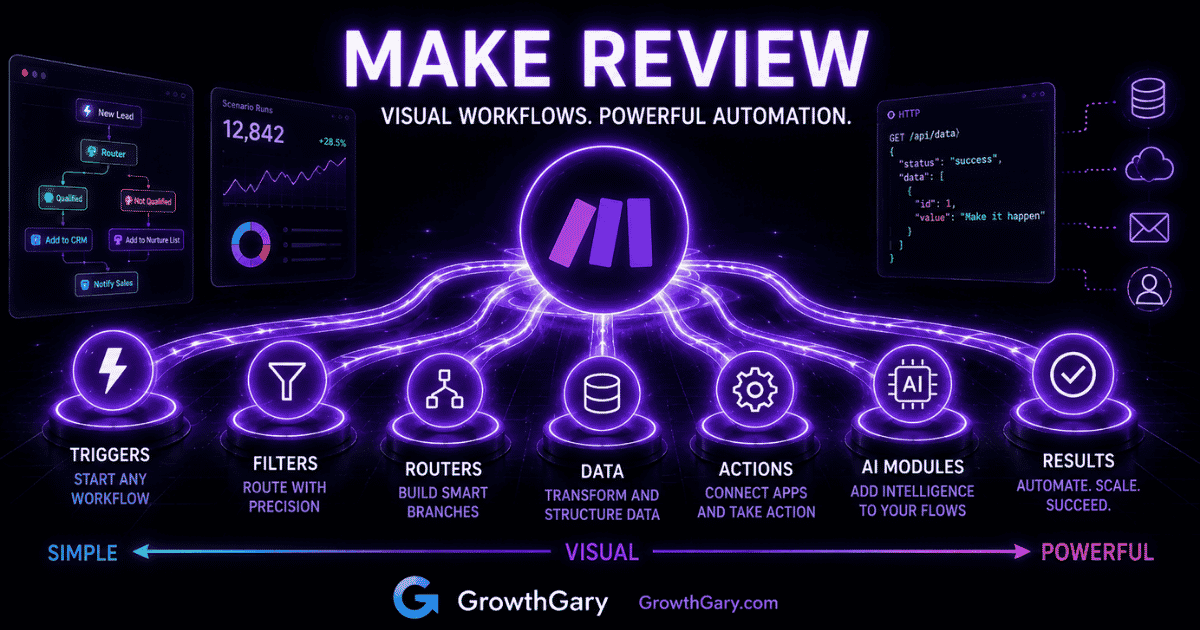
Disclosure: Growth Gary may earn a commission if you purchase through an affiliate button on this page, at no additional cost to you. Editorial recommendations remain independent. See the Affiliate Disclosure and review methodology.
Make.com is a strong fit when a workflow needs visible branching, data transformation, multiple apps, or careful error handling—not merely a simple trigger and action.
Quick answer: Choose Make when you want a visual map of a moderately complex workflow and are willing to invest in setup and maintenance. Choose Zapier when speed and simplicity matter more. Consider n8n when custom code, self-hosting, or deeper technical control is the priority.
How this review was evaluated: I looked at build experience, branching and data control, integrations, credit usage, maintainability, and fit for marketing and operations. Product facts and public links were checked on October 21, 2026. Editorial opinions are identified as such.
Make Review: Quick Verdict
| Category | My take |
|---|---|
| Best for | Visual, multistep workflow automation |
| Ease of use | Moderate |
| Workflow flexibility | Excellent |
| Visual workflow building | Excellent |
| Integrations | Extensive |
| Data manipulation | Strong |
| AI automation | Strong and improving |
| Best alternative for simplicity | Zapier |
| Best alternative for technical control | n8n |
| Biggest strength | Visual control over complex workflows |
| Biggest weakness | Complexity increases quickly |
| Gary’s verdict | Excellent when basic automation isn’t enough |
Make currently presents more than 3,000 app integrations, including an HTTP app for services with a public API. Its pricing model is credit-based: most module actions use one credit, while some advanced AI features use more. The Free plan includes 1,000 credits per month, and unused credits expire at the end of the term. (source) (source)
Make isn’t the automation platform I’d automatically recommend to everyone.
That’s actually part of what I like about it.
There’s a tendency in automation to pick a platform first and then start looking around the business for things to automate. I’d reverse that process. Understand the workflow first, determine how complicated it really is, and then choose the platform capable of running it without adding unnecessary complexity.
If you’re still getting familiar with the concept, start with my guide to what workflow automation is. If you already know what you want to automate and you’re comparing platforms, keep reading.
What Is Make?
Make is a visual automation platform that lets you connect applications and build workflows that move information and perform actions automatically.
Those workflows are called scenarios.
A scenario might take information from one application, evaluate it, modify it, send it somewhere else, and then perform additional actions depending on what happened along the way.
For example, imagine someone completes a lead form on your website. Make could potentially take that information and:
- Capture the form submission.
- Check which service the person selected.
- Format or enrich the submitted information.
- Add the lead to your CRM.
- Route the lead based on location or service.
- Send the appropriate notification.
- Add information to another database or spreadsheet.
- Trigger another marketing or operational process.
The important distinction isn’t that Make can connect applications. Lots of automation platforms can do that.
It’s how Make lets you build and see the process.
Instead of treating automation primarily as a linear list of steps, Make presents scenarios as visual maps. Applications, actions, conditions, routers, and other components appear as connected modules.
That makes Make particularly useful once a workflow stops looking like:
Trigger → Action
and starts looking more like:
Trigger → Condition → Transformation → Branch A / Branch B → Multiple Actions → Error Handling
That’s also why Make occupies an important spot in my broader comparison of the best workflow automation tools.
How Does Make Work?
Make’s basic workflow is straightforward: you choose an event that starts a scenario and then determine what should happen next.
The sophistication comes from what you can put between the beginning and end.

Modules
Modules are the building blocks of a Make scenario. A module represents an application, action, search, trigger, or another operation within the workflow.
Connect the modules together and you create the automation.
A simple workflow could involve only a few modules. A sophisticated scenario could contain many.
Triggers
A trigger starts the automation.
For example, a scenario might begin when:
- A new form is submitted.
- A record is added.
- An email arrives.
- An order is created.
- A scheduled time occurs.
- New data becomes available through an application.
What happens next depends on how you’ve constructed the scenario.
Actions
Actions are the things Make does after the trigger.
That could mean creating a record, updating information, sending a message, adding a contact, making an API request, or performing another supported operation.
This is where simple automation platforms often stop being simple. The more actions, conditions, and data dependencies you add, the more important the underlying workflow architecture becomes.
Routers and Filters
Routers are one of the reasons Make becomes attractive for more sophisticated workflows.
Instead of sending everything through the same sequence, you can create different paths.
Imagine a lead-routing workflow.
A lead interested in consulting might follow one path. Someone downloading a resource might follow another. An existing customer could follow a third.
Filters determine which information should be allowed down each route.
This makes it possible to model business logic rather than simply chaining applications together.
Data Transformation
Moving information between applications sounds simple until you actually do it.
One platform stores a full name. Another needs separate first- and last-name fields. One application returns dates in one format while another expects something different. A field contains information you don’t need. Several pieces of information need to be combined.
Make provides tools for manipulating information as it moves through the workflow.
For marketers building anything beyond very basic automations, this capability can matter as much as the integrations themselves.
What Is Make Best For?
Make is best suited to visual workflows involving multiple steps, applications, branches, transformations, or conditions.
That makes it particularly interesting for marketing and operations teams that have moved beyond basic automation.
Multistep Marketing Workflows
Marketing rarely happens inside one application.
A campaign might involve a website, CRM, email platform, spreadsheet, advertising platform, analytics system, project-management application, and reporting tool.
Make can act as the connective layer between those systems.
For example:
Lead form → qualification logic → CRM → email platform → Slack notification → spreadsheet → follow-up workflow
The value isn’t merely moving the lead. It’s coordinating the process.
Lead Routing
Lead routing is a good example of where visual branching becomes useful.
Instead of sending every lead to the same destination, Make can evaluate information such as:
- Geography
- Product interest
- Lead source
- Company size
- Form responses
- Customer status
Different leads can then follow different paths.
That can make Make particularly useful when a simple automation has accumulated enough exceptions that it’s becoming difficult to maintain.
Content Workflows
Content marketing also creates plenty of repetitive processes.
A new piece of content might need to trigger updates to a project-management system, database, social workflow, reporting spreadsheet, or notification channel.
That doesn’t mean you should automate every part of content creation. My broader guide to content marketing explains why the strategy still needs to come first.
But administrative handoffs around content are often excellent automation candidates.
Data Synchronization
Businesses frequently have the same customer, lead, campaign, or operational information living in multiple systems.
Make can help synchronize those systems and reduce repetitive manual data entry.
This is especially valuable when synchronization requires more than simply copying Field A into Field B.
AI Workflows
Make can also participate in AI-powered workflows by connecting AI services with the other applications involved in a business process.
That’s an important distinction.
An AI model might classify, summarize, extract, analyze, or generate information. Make can provide the surrounding workflow that determines when that happens and where the result goes next.
For example:
Customer message → AI classification → routing logic → CRM update → appropriate team notification
That’s closer to AI automation than simply asking an AI chatbot to complete an isolated task.
What I Like About Make
Make’s strongest qualities become much more apparent as workflow complexity increases.
1. The Visual Workflow Builder
This is the defining Make experience.
You can see applications and actions connected together on a canvas rather than trying to mentally reconstruct a complicated automation from a long sequence of steps.
That matters because workflow automation isn’t only about building something.
Someone also has to understand it later.
A well-constructed visual scenario can make relationships between steps, branches, and applications considerably easier to understand.
2. Branching Makes Complex Processes Easier to Model
Real business processes aren’t always linear.
If this happens, do that.
Unless this condition is true.
Then send it somewhere else.
And if that fails, handle it differently.
Make is much better suited to representing this type of logic than platforms designed primarily around very simple trigger-action automations.
3. Strong Data Handling
Automation often becomes difficult because of the data rather than the workflow.
Make’s ability to manipulate and transform information makes it more useful for scenarios where information doesn’t arrive in exactly the format the next application expects.
This is one of those capabilities that may not look exciting on a feature list but becomes extremely important when you’re actually designing workflows.
4. You Can See What the Automation Is Doing
Visibility is valuable when troubleshooting.
When an automation contains multiple modules, being able to inspect how information moves through the scenario makes it easier to understand where something isn’t behaving as expected.
And things will eventually behave unexpectedly.
That’s not a Make problem. That’s automation.
Applications change. Permissions expire. Data arrives in unexpected formats. Someone renames something. APIs behave differently.
Building the workflow is only part of the job. Maintaining it matters too.
Where Make Falls Short
Make’s flexibility comes with real tradeoffs.
The Learning Curve Is Higher Than Basic Automation Tools
Make is visual, but visual doesn’t automatically mean simple.
A basic scenario can be straightforward. Once you introduce routers, filters, transformations, variables, arrays, API calls, error handling, and complicated data structures, the learning curve rises quickly.
Someone who only wants:
New form submission → send me an email
probably doesn’t need all of this.
Complex Visual Workflows Can Still Become Messy
A visual canvas helps you understand a workflow.
Until the canvas itself becomes enormous.
Complex scenarios can turn into sprawling maps with multiple branches and dependencies. At that point, good naming, organization, documentation, and workflow design become important.
No automation platform can completely rescue a poorly designed process.
Usage and Credit Pricing Require Planning
Automation pricing isn’t only about the number printed on a pricing page. You need to understand what activity the platform counts and how frequently your scenarios will execute.
A workflow that looks inexpensive at low volume may behave very differently when processing thousands of records through multiple steps.
Before deploying an important scenario, estimate volume and count the module actions in a typical run. Make says each action consumes credits, with a single scenario ranging from two to thousands of credits depending on its complexity; routers and error-handler modules are listed exceptions. (source)
More Flexibility Means More Responsibility
The more sophisticated the workflow, the more important the question becomes:
Who owns this six months from now?
If the only person who understands the scenario leaves the company, you’ve created a different kind of operational problem.
This is why I wouldn’t choose Make simply because it’s capable of building a more impressive automation.
Make vs. Zapier
This is probably the comparison most prospective Make users should make first.
Both platforms can connect applications and automate workflows, but they approach the experience differently.
| Area | Make | Zapier |
|---|---|---|
| Basic automation | Strong | Excellent |
| Ease of getting started | Good | Excellent |
| Visual workflow building | Excellent | Good |
| Complex branching | Excellent | Strong |
| Data manipulation | Excellent | Strong |
| Learning curve | Higher | Lower |
| Best fit | Visual, complex workflows | Fast, straightforward automation |
My shorthand is:
Zapier = simplicity and speed
Make = visual control and complexity
That’s obviously an oversimplification. Both platforms can handle much more than those descriptions suggest.
But it’s a useful starting point.
If you need straightforward automation and want to get running quickly, Zapier deserves serious consideration. I’ve covered the platform separately in my full Zapier review.
If you’re already looking at a Zapier workflow and thinking, I wish I could see this whole process and control exactly how everything moves through it, Make starts becoming very compelling.
Make vs. n8n
Make and n8n overlap, but I see them serving somewhat different buyers.
Make provides a visual environment capable of building sophisticated workflows without requiring the user to approach everything like a developer.
n8n tends to become especially interesting when technical flexibility, custom logic, APIs, code, AI workflows, and infrastructure control become bigger priorities.
A useful way to think about the progression is:
Zapier → Make → n8n
Not because one is objectively more advanced or better than the others, but because each step generally increases how much technical control you’re likely to want.
For a marketing team without significant development resources, Make may hit a particularly attractive middle ground.
Make vs. Marketing Automation Software
It’s also important not to confuse workflow automation platforms with dedicated marketing automation platforms.
Make connects systems and orchestrates processes across applications.
Marketing automation software is usually centered around marketing-specific activities such as:
- Lead nurturing
- Email campaigns
- Segmentation
- Customer journeys
- CRM activity
- Campaign management
The two categories can work together.
For example, Make might move or transform information between systems while your marketing automation platform manages the customer-facing campaign.
If that’s closer to what you’re looking for, see my guide to what marketing automation is and my comparison of the best marketing automation software.
Is Make Good for AI Automation?
Yes, particularly when AI is one component inside a larger workflow.
This distinction matters because an AI tool and an automation system aren’t the same thing.
Suppose you want to automate incoming customer inquiries. AI might determine the intent of the message. But something still needs to retrieve the message, send the information to the model, interpret the result, route the customer, update another system, and record what happened.
That’s where workflow automation enters the picture.
Make can serve as the orchestration layer around AI services and traditional applications.
The result can be much more useful than simply generating text.
Is Make Easy to Use?
Make is relatively approachable for simple workflows, but its difficulty increases with workflow complexity.
That’s probably the fairest answer.
The visual interface reduces some of the abstraction involved in automation because you can see how the components connect. But understanding what each application sends, how data is structured, how filters behave, and how to troubleshoot failures still requires learning.
If you’ve never built an automation before, don’t begin with a 30-module scenario.
Build:
Trigger → Action
Then:
Trigger → Filter → Action
Then experiment with another branch.
Understanding how information flows through a small scenario will teach you more than immediately trying to build an elaborate automation system.
Who Should Use Make?
Make is particularly well suited to:
- Marketers managing workflows across multiple applications.
- Operations teams coordinating repetitive processes.
- Agencies building repeatable client workflows.
- Businesses that need branching or conditional automation.
- Teams that need stronger data transformation capabilities.
- Users who find simple automation platforms restrictive.
- Technically curious marketers who don’t necessarily want a developer-first platform.
The common denominator is workflow complexity.
You want more control, but you still want the process represented visually.
Who Probably Shouldn’t Use Make?
Make isn’t automatically the best choice if:
- Your automations are extremely simple.
- You prioritize the easiest possible setup.
- Your team has little appetite for maintaining workflows.
- Most automation already happens effectively inside one business platform.
- You require highly technical infrastructure control.
- The process shouldn’t be automated in the first place.
That last point is worth emphasizing.
A bad manual process doesn’t become a good process because you automated it.
Sometimes automation simply makes a bad process run faster.
How I’d Decide Whether to Use Make
Before choosing Make—or any automation platform—I’d answer six questions.
1. How many applications are involved?
Two applications and one action may not require a sophisticated automation environment.
Five applications with several dependencies are a different story.
2. Does the workflow branch?
If different conditions create different paths, Make’s visual structure becomes more valuable.
3. Does the data need to be transformed?
The more information needs to be reformatted, filtered, combined, or manipulated, the more important data-handling capabilities become.
4. How often will the workflow run?
Volume affects both system design and cost.
Don’t evaluate automation based only on what happens once. Evaluate what happens when it runs thousands of times.
5. Who will maintain it?
The person building the workflow today isn’t necessarily the person troubleshooting it next year.
Build accordingly.
6. What happens when it fails?
Every important automation needs an answer to this question.
If a workflow silently stops working for three days, what happens to the business?
The answer determines how much monitoring, error handling, and redundancy you actually need.

Plan the work before you automate it
GrowthGary AI Marketing ChatOS turns scattered marketing priorities into a practical 90-day plan, owners, next actions, and a review cycle—useful when automation should support a clearer operating process.
Gary’s Take: Make Is Probably the Automation Platform More Marketers Should Consider
Zapier tends to be the obvious starting point because it’s easy to understand.
n8n is increasingly attractive when conversations turn toward AI automation, APIs, customization, and more technical workflows.
Make occupies a very useful space between them.
If I were building moderately complicated marketing workflows involving several applications, branching logic, and data transformations—and I wanted the entire process to remain visually understandable—Make would absolutely be on my shortlist.
But I wouldn’t choose it because it can build complicated workflows.
I’d choose it only when the workflow actually needs that complexity.
That’s the distinction that matters.
The goal of automation isn’t to build the coolest diagram.
It’s to remove unnecessary work reliably.

Make Review: Final Verdict
Make is an excellent workflow automation platform for businesses that need more control than basic trigger-action automation provides while still wanting a highly visual building experience.
Its biggest strengths—visual workflows, branching, data handling, and flexibility—make it particularly well suited to sophisticated marketing and operational processes.
Those same strengths introduce complexity.
That’s why the decision shouldn’t start with Make.
It shouldn’t start with Zapier or n8n either.
Start with the workflow.
Map what needs to happen. Determine the applications involved. Identify the branches, data requirements, volume, maintenance responsibilities, and consequences of failure.
Then choose the simplest platform capable of running that workflow reliably.
If that answer is Make, you’ve probably found its sweet spot.
Frequently Asked Questions About Make
What is Make used for?
Make is used to automate workflows between applications. It can move and transform information, trigger actions, create branching processes, synchronize systems, and orchestrate multistep workflows.
Is Make the same as Zapier?
No. Make and Zapier are competing workflow automation platforms with overlapping capabilities. Zapier generally emphasizes ease and fast setup, while Make is particularly strong for visually building more complicated, branching workflows.
Is Make good for beginners?
Make can be used by beginners, particularly for simple scenarios, but it has a steeper learning curve as workflows become more sophisticated. Beginners should start with small automations before experimenting with complex branching and data transformations.
Is Make good for marketing automation?
Make can automate many marketing processes, but it isn’t necessarily a replacement for dedicated marketing automation software. It’s particularly useful for connecting marketing applications and coordinating processes between them.
Can Make be used for AI workflows?
Yes. Make can connect AI services with other applications and business processes, allowing AI capabilities such as classification, extraction, analysis, or generation to operate inside larger automated workflows.
Is Make better than Zapier?
Neither platform is universally better. Zapier may be preferable when simplicity and speed are the priorities. Make becomes particularly compelling when workflows require visual branching, transformations, and more sophisticated multistep logic.
Is Make better than n8n?
It depends on the workflow and the user. Make is particularly attractive for visual workflow construction, while n8n may appeal more to technically oriented users who want deeper customization, code, APIs, AI workflow flexibility, or infrastructure control.
Continue Your Automation Evaluation
Compare the leading platforms in the best workflow automation tools, see the direct Zapier vs. Make vs. n8n comparison, or read the full Zapier review. For the underlying concepts, start with what workflow automation is and how AI automation works.