
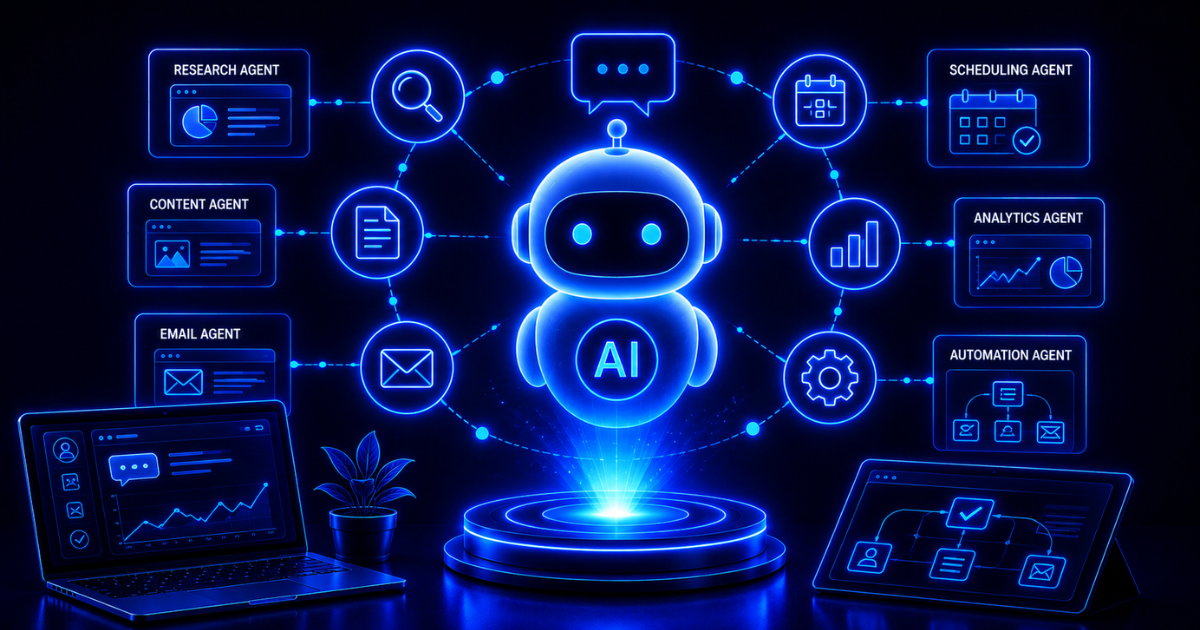
AI agents are software systems that use artificial intelligence to pursue a goal, choose and use tools, observe the result, and decide what to do next. Unlike a basic chatbot that produces one response, an agent can move through a multi-step task on a user’s behalf—within the permissions, instructions, and stopping conditions it has been given.
That does not make every agent autonomous, reliable, or appropriate for every job. The useful question is not whether a product calls itself “agentic.” It is whether the system can safely make decisions inside a defined workflow, use the right tools, recover from ordinary problems, and hand control back to a person when the risk is too high.
TL;DR
An AI agent combines a model, instructions, tools, and an execution loop. It receives a goal, gathers context, selects an action, uses a tool, evaluates what happened, and continues until it reaches a result or a stop condition. Agents are most useful for variable, multi-step work involving judgment or unstructured information. Use conventional automation for stable rules. Start with one narrow agent, limited permissions, measurable tests, logs, budgets, and human approval for consequential actions.
What is an AI agent?
An AI agent is an AI-powered system that can manage the execution of a task rather than only generate an answer. The user provides an objective, while the agent uses a model to decide which available action should come next. OpenAI describes the core of an agent as a model, tools, and instructions, with the model controlling workflow execution inside defined guardrails (source).
Consider a sales follow-up. A chatbot might draft one email from the information pasted into a prompt. An agent could be permitted to retrieve yesterday’s leads, check qualification fields, review earlier interactions, draft an appropriate message, ask for approval, queue the email, and update the CRM. The important difference is not the writing. It is the system’s ability to decide and act across several steps.
The amount of agency varies. Some systems only recommend the next action. Others can execute low-risk steps automatically and pause before sending, publishing, purchasing, deleting, or changing sensitive data. “AI agent” therefore describes a design pattern, not a promise of unlimited independence.
AI agents vs. chatbots, assistants, and automation
The labels overlap in marketing, so compare the system’s behavior instead of its name. Ask who determines the next step, what tools the system can use, whether it observes results, and how it stops.
| System | Typical behavior | Best fit |
|---|---|---|
| Chatbot | Responds conversationally to a user message | Questions, explanations, guided support |
| AI assistant | Helps a user complete a task, often one request at a time | Drafting, analysis, research, recommendations |
| Rule-based automation | Follows predefined triggers, conditions, and actions | Stable, repetitive processes with known rules |
| AI agent | Selects actions and tools dynamically to pursue a goal | Variable, multi-step work with exceptions or unstructured information |
An agent can sit inside a broader AI automation, and a conventional workflow can contain one agentic step. The categories are not mutually exclusive. The practical distinction is how much of the path is predetermined and how much the model decides during execution.
How do AI agents work?
Most agents operate as a loop: receive a goal, inspect the current state, choose an action, use a tool, observe the output, update their state, and either continue or stop. Anthropic distinguishes agents—where a model dynamically directs its own process and tool use—from workflows, where models and tools follow predefined code paths (source).
1. Goal and instructions
The goal defines the desired outcome. Instructions define scope, policies, tone, required steps, prohibited actions, and escalation conditions. Vague goals create more room for undesirable interpretation, so production agents need explicit definitions of success and failure.

2. Model and decision-making
The model interprets the request and available context, then selects a next action. It may break a broad goal into smaller tasks, choose between tools, compare results, and revise its approach. More complex reasoning is not automatically better; it can increase latency, cost, and the number of ways a run can fail.
3. Tools and actions
Tools connect the model to data and systems. A tool might search a knowledge base, read a document, query a CRM, calculate a value, create a draft, or update a record. Tools should have precise descriptions, narrow permissions, validated inputs, predictable outputs, and clear error messages.
4. State and memory
State records what has happened during a run: the original goal, retrieved context, tool outputs, decisions, and remaining work. Longer-term memory can preserve user or business context across runs, but it adds privacy, freshness, and access-control concerns. Store only what the workflow needs and define when information expires.
5. Observation, evaluation, and stopping
After each action, the agent evaluates the result. It may continue, retry, choose another tool, request clarification, escalate, or finish. Every agent needs hard limits—such as maximum turns, time, cost, retries, and tool calls—plus a reliable way to return control to a person.

Common types and patterns of AI agents
Single-agent systems
One agent receives the goal and has access to the tools needed for the workflow. This is usually the best place to start because it is easier to test, observe, secure, and improve. OpenAI recommends maximizing a single agent’s capabilities before adding multiple agents, since multi-agent designs add coordination and evaluation overhead (source).
Routing and handoffs
A routing agent classifies the request and sends it to a specialized workflow or person. A support system might route billing, product, and technical issues to different handlers. The router should have a safe fallback when intent is unclear.
Manager and specialist agents
A manager agent can delegate subtasks to specialized agents, then combine their outputs. This can help when instructions or tools become too crowded for one agent, but it also makes tracing errors and controlling cost more difficult. Use specialization to solve a demonstrated problem—not because a diagram with more boxes looks sophisticated.
Human-in-the-loop agents
Many useful business agents are deliberately not fully autonomous. They prepare research, drafts, classifications, or recommended actions, then wait for a person to approve the consequential step. Human review is a control point, not a sign that the system failed.

When do AI agents make sense?
Agents add the most value when a task has a clear outcome but the route varies. Good candidates involve multiple steps, unstructured information, ordinary exceptions, or decisions that are difficult to express as a long list of rules. Examples include investigating support issues, researching an account, reconciling documents, triaging requests, or preparing a campaign brief from several systems.
A deterministic workflow automation is usually better when the process is stable and every branch can be defined in advance. If a form submission always needs to create a CRM record and send the same confirmation, a rules-based workflow will generally be cheaper, faster, and easier to audit.
A practical candidate checklist
- The outcome can be stated clearly and checked.
- The work requires several decisions or tool calls.
- Inputs are frequently unstructured, incomplete, or variable.
- Exceptions make a traditional rules engine hard to maintain.
- The required data and systems can be accessed safely.
- Failure can be detected, contained, and escalated.
- The expected value justifies model, engineering, review, and monitoring costs.
Google Cloud’s agent architecture guidance similarly emphasizes choosing components around the use case—including models, tools, memory, orchestration, runtime, evaluation, security, and governance—rather than treating “agent” as one interchangeable product category (source).
Business and marketing use cases
Useful agents usually own a bounded part of a process, not an entire department. In marketing, they can support research, operations, content production, campaign coordination, and analysis while people remain responsible for strategy, brand judgment, and final accountability.
| Use case | Agentic steps | Recommended control |
|---|---|---|
| Lead research | Gather approved sources, summarize account context, flag missing data | Require evidence links and prohibit unsupported enrichment |
| Content operations | Turn an approved brief into drafts, variants, and tasks | Human review before publishing |
| Campaign monitoring | Check performance, identify anomalies, recommend tests | Approval before budget or targeting changes |
| Customer support | Retrieve policy, draft an answer, update a ticket | Escalate low-confidence or sensitive cases |
| Reporting | Collect metrics, explain changes, prepare a summary | Validate data definitions and calculations |
These systems work best when they are connected to a documented marketing automation process. Otherwise, the agent may accelerate activity without improving the underlying workflow.
Risks and limitations of AI agents
An agent can be wrong in more consequential ways than a chatbot because it can take action. A fabricated answer is a content problem; a fabricated answer that triggers an email, record update, refund, or deletion is an operational problem.
Unreliable decisions and compounding errors
Models can misunderstand intent, select the wrong tool, misread an output, or stop too early. In a long run, small errors can compound. Evaluate the whole workflow and important intermediate steps—not only whether the final answer sounds convincing.
Prompt injection and data exposure
Untrusted webpages, documents, emails, or tool outputs can contain instructions that conflict with the agent’s real task. Treat external content as data, restrict what tools can do, isolate sensitive information, and require approval for high-impact actions. Guardrails should complement authentication, authorization, logging, and standard security controls rather than replace them.
Excessive permissions and unclear accountability
Use least privilege. A research agent may need read access but no ability to publish or send. An email-drafting agent may need to create a draft but not deliver it. Every production workflow should have an accountable owner, a change process, and a way to reconstruct what the agent saw and did.
OWASP identifies excessive functionality, excessive permissions, and excessive autonomy as primary causes of damaging agent actions. Its recommended controls include limiting tools and permissions, requiring approval for high-impact actions, enforcing authorization in downstream systems, and monitoring activity (source).
Cost, latency, and drift
Repeated reasoning and tool calls consume time and money. Tools, policies, data, and models also change. Monitor run cost, completion time, failure rates, approval rates, and user corrections. Re-test after changing prompts, models, APIs, permissions, or source data.
NIST’s Generative AI Profile recommends treating generative-AI risk as an ongoing lifecycle practice covering governance, measurement, management, and the distinct risks created by generative systems (source).

How to start with AI agents
1. Choose one narrow workflow
Map the current process, inputs, systems, decisions, exceptions, owner, and expected output. Choose a task with enough repetition to measure and low enough risk to test safely.
2. Define success and boundaries
Write down what a successful run produces, what the agent must never do, when it needs clarification, and when it must stop or escalate. Define acceptable time, cost, and error thresholds.
3. Start with read-only or reversible actions
Begin with retrieval, analysis, classification, and drafts. Add write access only after the system demonstrates reliable behavior on representative cases. Keep consequential actions behind explicit approval.
4. Build an evaluation set
Collect normal requests, edge cases, ambiguous inputs, missing data, conflicting instructions, tool failures, and adversarial content. Score factual accuracy, policy compliance, tool selection, completion, cost, latency, and escalation behavior.
5. Observe every run
Log tool calls, inputs and outputs where privacy allows, decision points, retries, errors, approvals, and final outcomes. Logs make failures diagnosable and help separate model problems from tool, data, or workflow problems.

6. Expand gradually
Add tools, permissions, and autonomy one controlled step at a time. A reliable single-agent workflow is more valuable than a sprawling multi-agent design that no one can evaluate or explain.
Frequently Asked Questions
What is an AI agent in simple terms?
An AI agent is software that uses an AI model to decide and take steps toward a goal. It can use tools, observe results, and continue until it finishes, reaches a limit, or needs human help.
Is an AI agent the same as a chatbot?
No. A chatbot is mainly a conversational interface. An agent manages task execution and may use multiple tools or systems. A chatbot can provide the interface to an agent, but conversation alone does not make a system agentic.
What is the difference between an AI agent and AI automation?
AI automation is the broader use of AI inside an automated process. An agent is one architecture in which a model dynamically chooses actions during execution. Many AI automations use fixed workflows and do not need an agent.
Are AI agents fully autonomous?
Some can execute many steps without intervention, but production systems should still have defined permissions, limits, monitoring, and escalation. The appropriate level of autonomy depends on the consequence and reversibility of each action.
Do AI agents need memory?
They need enough state to track a run. Persistent memory is optional and should be added only when it improves the workflow enough to justify the privacy, security, and freshness risks.
Will AI agents replace employees?
Agents can automate parts of jobs, especially repeatable information work. They do not remove the need for process ownership, judgment, accountability, relationship management, and review. Their effect depends on the task and how the organization redesigns the work around them.
The Practical Takeaway
AI agents are most valuable when they have a clear job, the right context, a small set of well-defined tools, and firm operating boundaries. Use them for workflows that genuinely benefit from flexible decisions. Use simpler automation when the rules are stable. Start narrow, test the full run, limit permissions, preserve human control over consequential actions, and expand only when the evidence supports it.